
Visual designer
Pyzed Design is a form editor in the spirit of Visual Basic, the WinForms designer in Visual Studio and Qt Designer, built with Pyzed itself. You draw a window with the mouse, set properties in a grid, double-click a control to write the code of its event, and press F5 to run it with all its logic.
uv run pyzed design login.pzform # open (or create) a formuv run pyzed run login.pzform # run it, no designer neededuv run pyzed run login.pzform --reload # ...and update it every time the form or its code is savedpyzed design login.pzform # open (or create) a formpyzed run login.pzform # run it, no designer neededpyzed run login.pzform --reload # ...and update it every time the form or its code is savedpython3 -m pyzed design login.pzform # open (or create) a formpython3 -m pyzed run login.pzform # run it, no designer neededpython3 -m pyzed run login.pzform --reload # ...and update it every time the form or its code is savedpy -m pyzed design login.pzform # open (or create) a formpy -m pyzed run login.pzform # run it, no designer neededpy -m pyzed run login.pzform --reload # ...and update it every time the form or its code is saved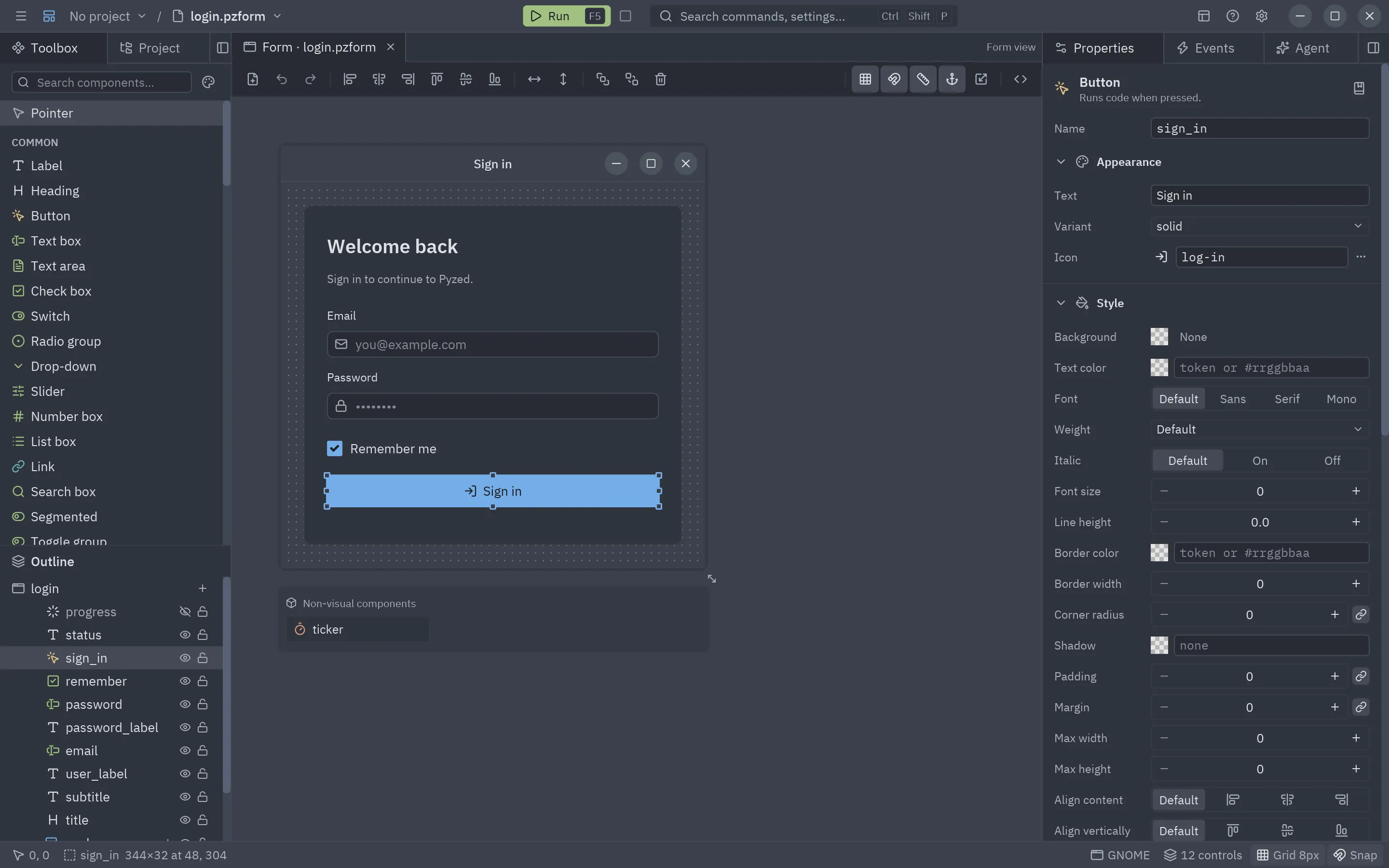
Everything about it now lives in its own manual, Pyzed Design:
| Topic | Page |
|---|---|
| The window and its areas | Overview |
| Placing, moving, aligning, snapping, the outline | Toolbox and canvas |
| The property grid, lists and tables | Properties |
| Panels, flex rows and columns, grids, anchors | Layouts and containers |
| The Style section, the color picker, themes | Styles and themes |
| Events and writing handlers | Events and handlers |
| Completion, diagnostics, language servers | Code editor |
| F5, the debug console, hot reload | Running and the console |
| uv projects, dependencies, ruff, ty, git | Projects |
| Reusable components | Component designer |
New forms, templates, .pzform files, scripting |
Files, templates and scripting |
| Menus, the command palette, docks | Menus and commands |
| Every shortcut | Keyboard shortcuts |
| Preferences | Settings |
Debug console
Section titled “Debug console”Panels
Section titled “Panels”See Panels and docks.
Code editor
Section titled “Code editor”See Code editor: completion, diagnostics, code lens, folding and the ty and ruff language servers.
Telemetry
Section titled “Telemetry”See Settings → Telemetry.
Components
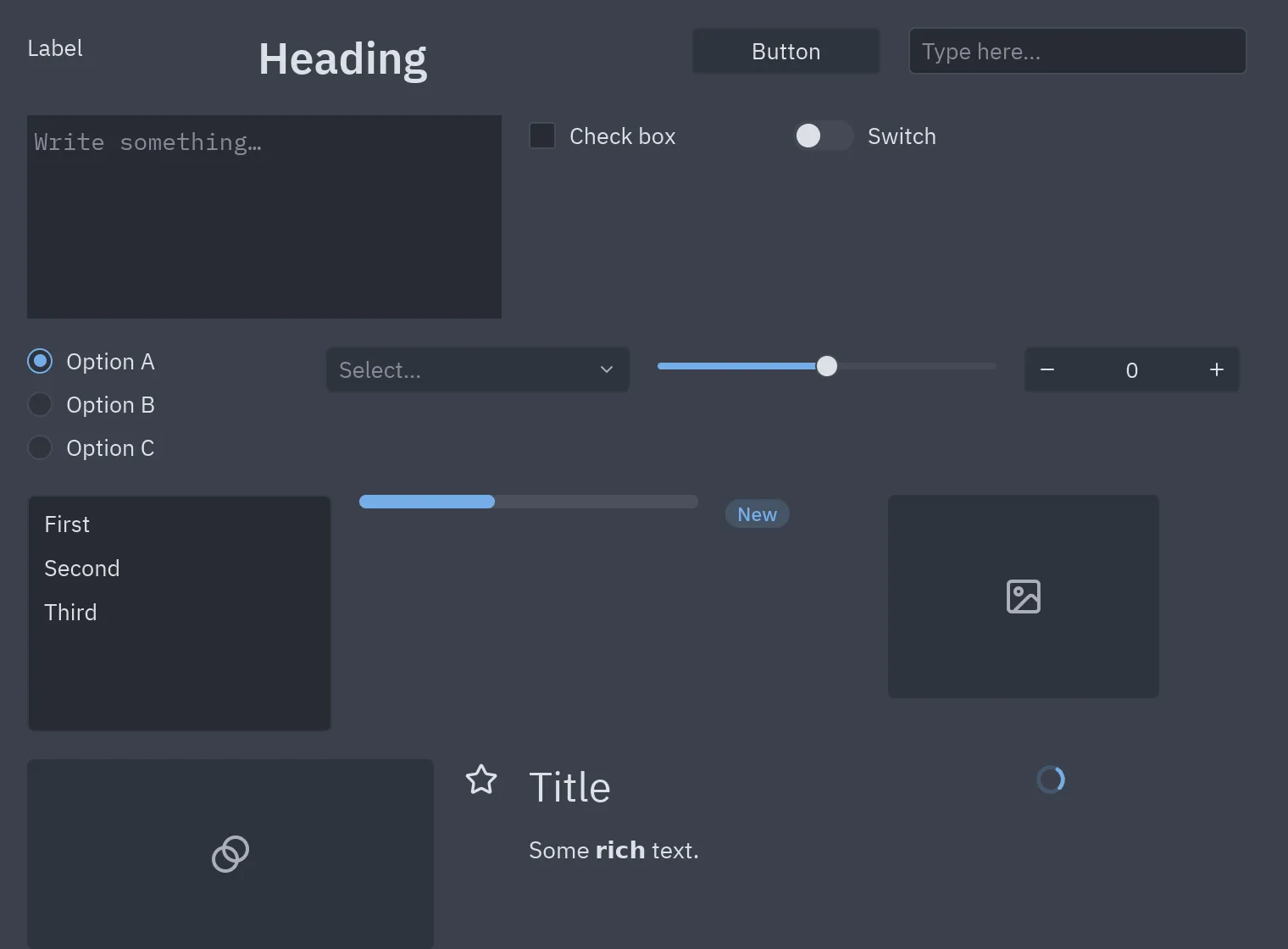
Section titled “Components”Common: Label, Heading, Button, Text box, Text area, Check box, Switch, Radio group, Drop-down, Slider, Number box, List box, Link and Search box. Containers: Panel, Group box, Card. Layout: Flex row, Flex column, Grid, Spacer. Navigation: Tab bar, Segmented. Display: Progress bar, Badge, Chip, Callout, Avatar, Key binding, Stat, Chart, Table, Image, Icon, Markdown, Spinner, Divider and Timer.
To add your own, see Files, templates and scripting and the component designer.