
A custom component
When the same group of controls shows up again and again (a star rating, a user card, a search bar), turn it into a component: draw it once, give it properties and events, and place it anywhere like a built-in control. This is the idea of Godot’s scenes and Unreal’s widget blueprints, and it is how large apps stay tidy.
| Goal | Time | Level | You need |
|---|---|---|---|
A five-star Rating you can drop on any form |
35 minutes | Intermediate · Python | Data binding |
What you’ll learn
Section titled “What you’ll learn”- Create a component in the Component view (a
.pzcompand its class in a.py). - Add a public property (
value) and a private state (clicks). - Bind the controls’ properties to the component’s (
"solid" if value >= 3 else "ghost"). - Write methods and raise a custom event with
self.emit("change", ...). - Try it in the preview window, place it on a form and use it from Python code.
-
Create the component. Ctrl+N → Component, name it
ratingand press Create component. The designer createsrating.pzcomp(the drawing) andrating.py(the classRating) and opens them in the Component view: an accent frame instead of window buttons, and a Component badge.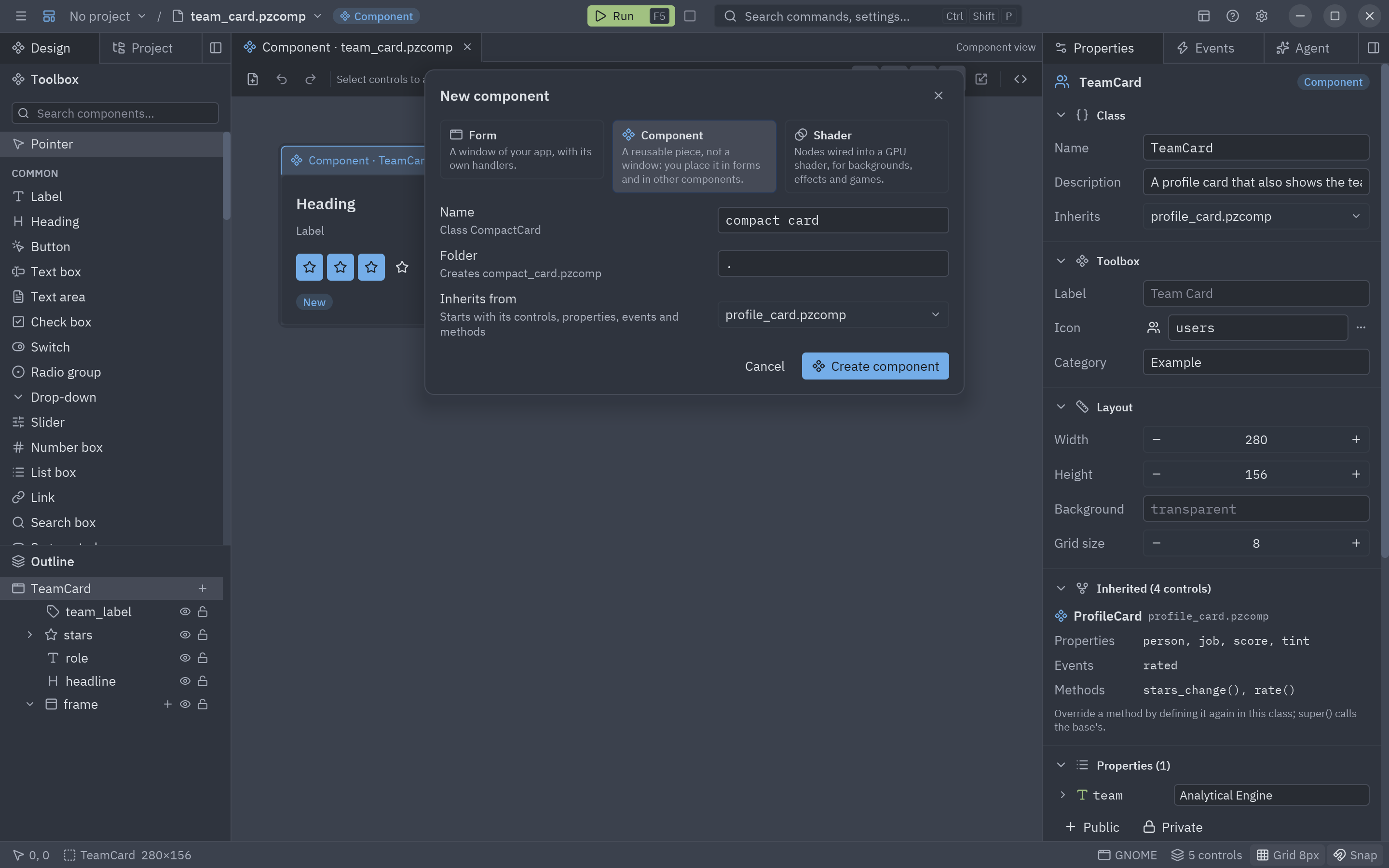
New → Component: a reusable piece, not a window. -
Draw it. With nothing selected, set the component’s Width to 232 and Height to 28 (Layout section). Place five Buttons in a row named
star1…star5, each with iconstar, no text and variantghost, and a Label namedcaptionat the end. -
Add the properties. In the Properties section of the Component panel press Public and create
value, typeint, default3; thenreadonly, typebool. Press Private forclicks, anintthat only the component sees. The class inrating.pygets them as annotated attributes:value: Annotated[int, pz.Range(0, 5)] = 3readonly: bool = Falseclicks: int = pz.state(0, doc="Times the user picked a rating") -
Bind the stars. Select
star3, open Bindings, pick variant and choose Expression…:"solid" if value >= 3 else "ghost"Do the same for the other stars (with their own number), and bind
caption.texttof"{value} / 5". Changevaluein the panel: the stars light up on the canvas.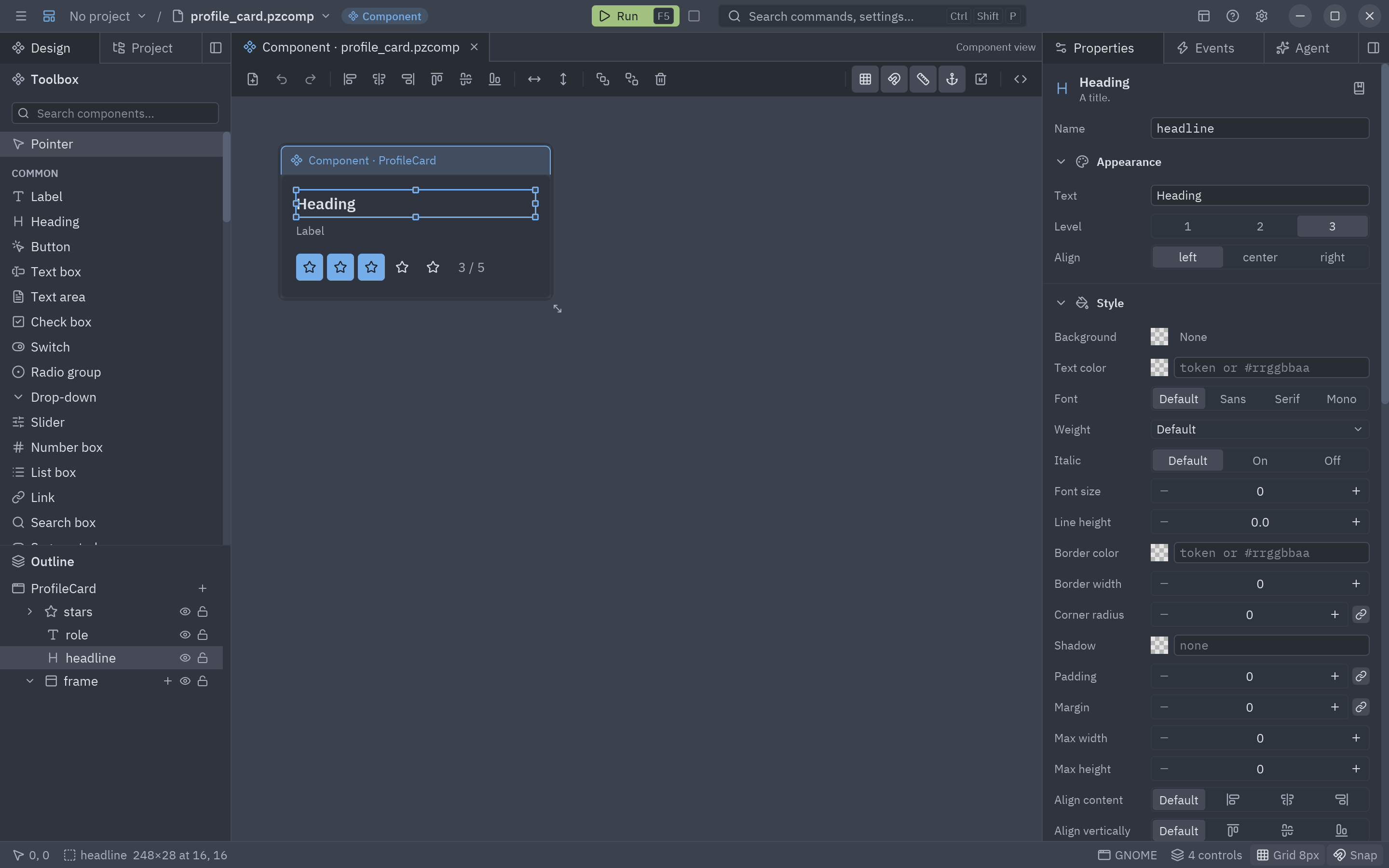
Bindings keep the controls in step with the component's properties. -
Add the custom event. In Custom events press Event, name it
changeand describe it: A star was picked (event.value is the rating). -
Write the logic. Add a method
pick(type the name and press + Method), then double-click each star to write its click handler. In a component, handlers are methods and controls areself.<name>:def star1_click(self, event):return self.pick(1)def pick(self, stars):"""Lights stars stars and tells the parent."""if self.readonly:return Noneself.value = starsself.clicks += 1return self.emit("change", stars) -
Try it alone. Press F5: the component opens in a preview window that lists every custom event it raises. Click the stars and watch
changearrive.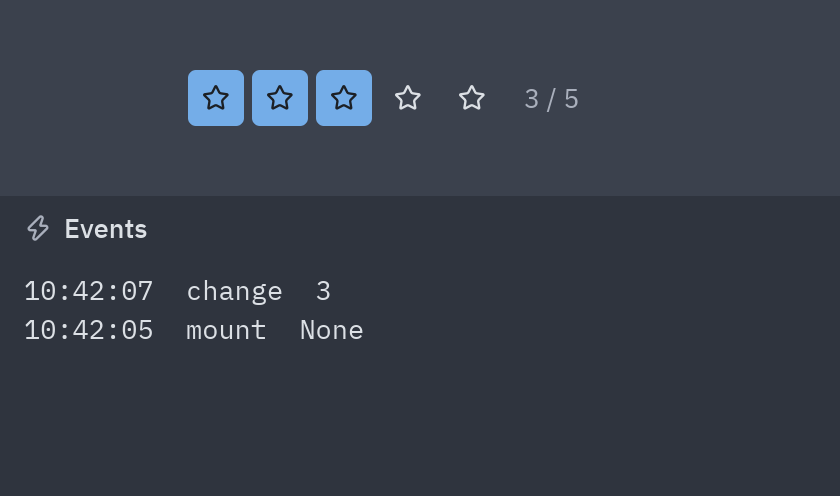
F5 on a component: a preview with an event log. -
Use it in a form. Save, open (or create) a form:
Ratingis now in the toolbox, in its category. Drop one, add a Label namedstatus, select the rating and, in Events, double-clickchange:def rating1_change(form, event):form.status.text = f"You gave it {event.value} stars" # event.value is what emit() sentDouble-click a placed component to open it in its own tab; edits show up in every form that uses it.
Full code
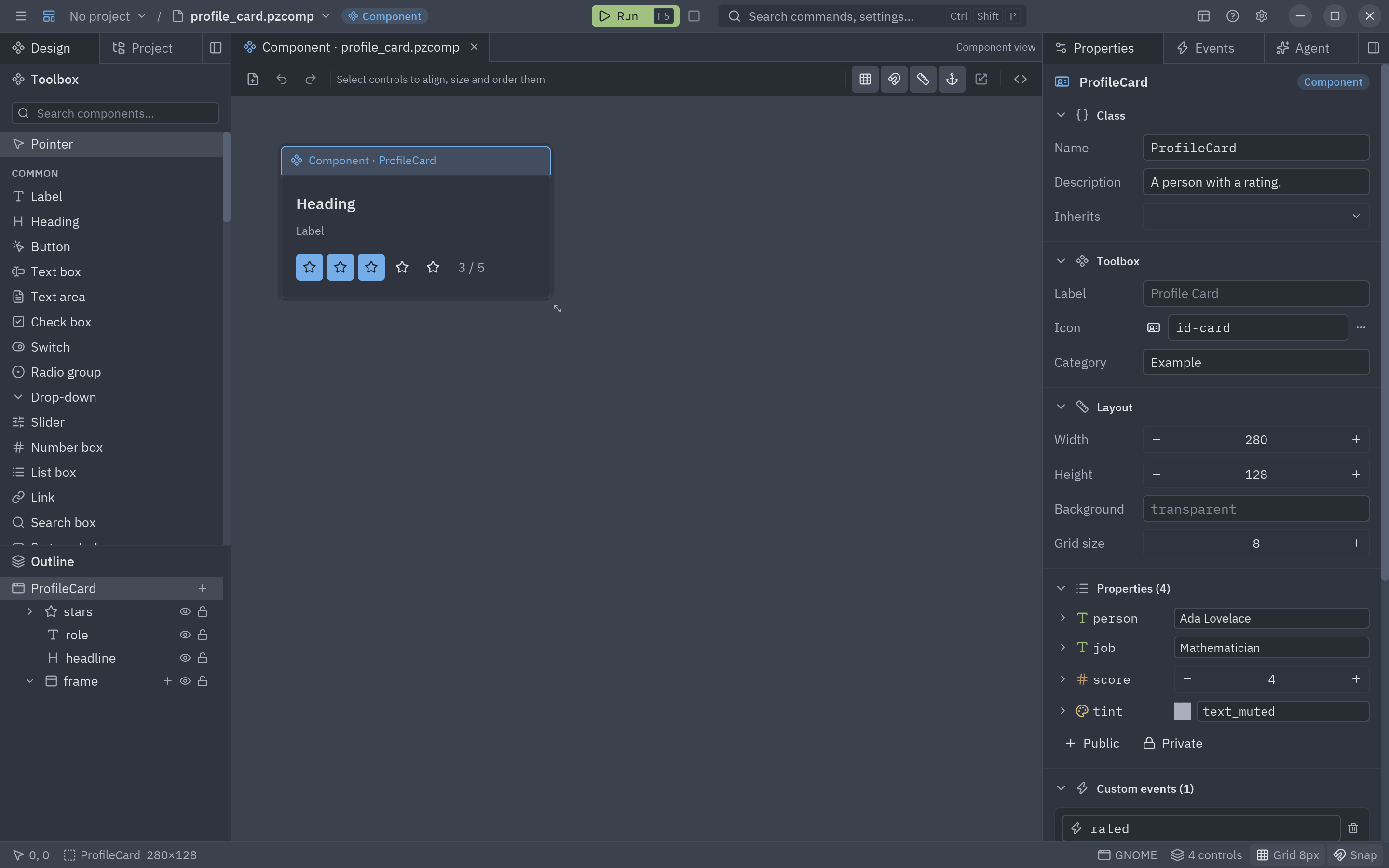
Section titled “Full code”The finished components (including a ProfileCard that contains a Rating, and a TeamCard that inherits from
it) are in examples/designer/components.
"""Rating: a component designed in Pyzed Design.
The layout is in rating.pzcomp; properties, events and logic are below. Use it likeany component: ``Rating(...)`` in a view, or from the designer's toolbox."""
from typing import Annotated
import pyzed as pzfrom pyzed.designer import SceneComponent

class Rating(SceneComponent, scene="rating.pzcomp"):    """Five stars the user can click."""
    value: Annotated[int, pz.Range(0, 5)] = 3  # How many stars are lit    readonly: bool = False    clicks: int = pz.state(0, doc="Times the user picked a rating")    events = {"change": "A star was picked (event.value is the rating)"}
    def star1_click(self, event):        return self.pick(1)
    def star2_click(self, event):        return self.pick(2)
    def star3_click(self, event):        return self.pick(3)
    def star4_click(self, event):        return self.pick(4)
    def star5_click(self, event):        return self.pick(5)
def pick(self, stars): """Lights ``stars`` stars and tells the parent.""" if self.readonly: return None self.value = stars self.clicks += 1 return self.emit("change", stars)"""Event handlers for the Reviews form.
Each function receives the running ``form`` (controls are attributes: ``form.button1.text``)and an ``event`` with ``event.sender``, ``event.name`` and ``event.value``."""
def ada_rated(form, event): """Runs when the card of ada is rated.""" event.sender.score = event.value form.status.text = f"{event.sender.person} now has {event.value} stars"
def grace_rated(form, event): """Runs when the card of grace is rated.""" event.sender.score = event.value form.status.text = f"{event.sender.person} now has {event.value} stars"Run the component’s preview, or the form that uses it:
uv run --with pyzed-ui pyzed run examples/designer/components/rating.pzcomppython3 -m venv .venvsource .venv/bin/activatepython -m pip install pyzed-uipyzed run examples/designer/components/rating.pzcomppy -m venv .venv.venv\Scripts\Activate.ps1python -m pip install pyzed-uipyzed run examples\designer\components\rating.pzcomppython3 -m pyzed run examples/designer/components/rating.pzcomppy -m pyzed run examples\designer\components\rating.pzcompuv run --with pyzed-ui pyzed run examples/designer/components/reviews.pzformpython3 -m venv .venvsource .venv/bin/activatepython -m pip install pyzed-uipyzed run examples/designer/components/reviews.pzformpy -m venv .venv.venv\Scripts\Activate.ps1python -m pip install pyzed-uipyzed run examples\designer\components\reviews.pzformpython3 -m pyzed run examples/designer/components/reviews.pzformpy -m pyzed run examples\designer\components\reviews.pzformEvents in this tutorial
Section titled “Events in this tutorial”Rating declares one custom event, change, in events and raises it with self.emit("change", stars). The
parent listens with on_change=, and its handler gets a pz.Event whose value is the rating. Like every
component, Rating also raises mount and unmount, and takes the common events (on_right_click,
on_mouse_enter…).
Try more events
Section titled “Try more events”A second custom event, raised only if someone listens:
class Rating(pz.Component):    value: int = 0    events = {        "change": "A star was picked (event.value is the rating).",        "clear": "The rating was cleared with a right click.",          # new    }
    def render(self):        stars = pz.row([...])                                           # as in the tutorial        if self.handles("clear"):                                       # only when the parent passed on_clear            stars = stars.on(right_click=lambda: self.emit("clear"))        return stars

# The parent, in its view:Rating(value=self.stars,       on_change=lambda e: setattr(self, "stars", e.value),       on_clear=lambda: setattr(self, "stars", 0),                      # no argument: called with nothing       on_mount=lambda: print("the rating is on screen"))
More in creating your own events.
- Component designer: every section of the Component panel, property types, nesting, responsive components and inheritance.
- Background tasks.