Why Pyzed? A modern Python GUI framework for a new generation
Python is the first language of a whole generation of developers, but its desktop GUI story still feels
like 2005: grey widgets, layouts written by hand, restart-the-app-to-see-a-change, and a packaging step
that is a project of its own. Pyzed is our answer for people who grew up with VS Code, Figma, dark mode
and AI assistants, and expect their tools to look and feel like that.
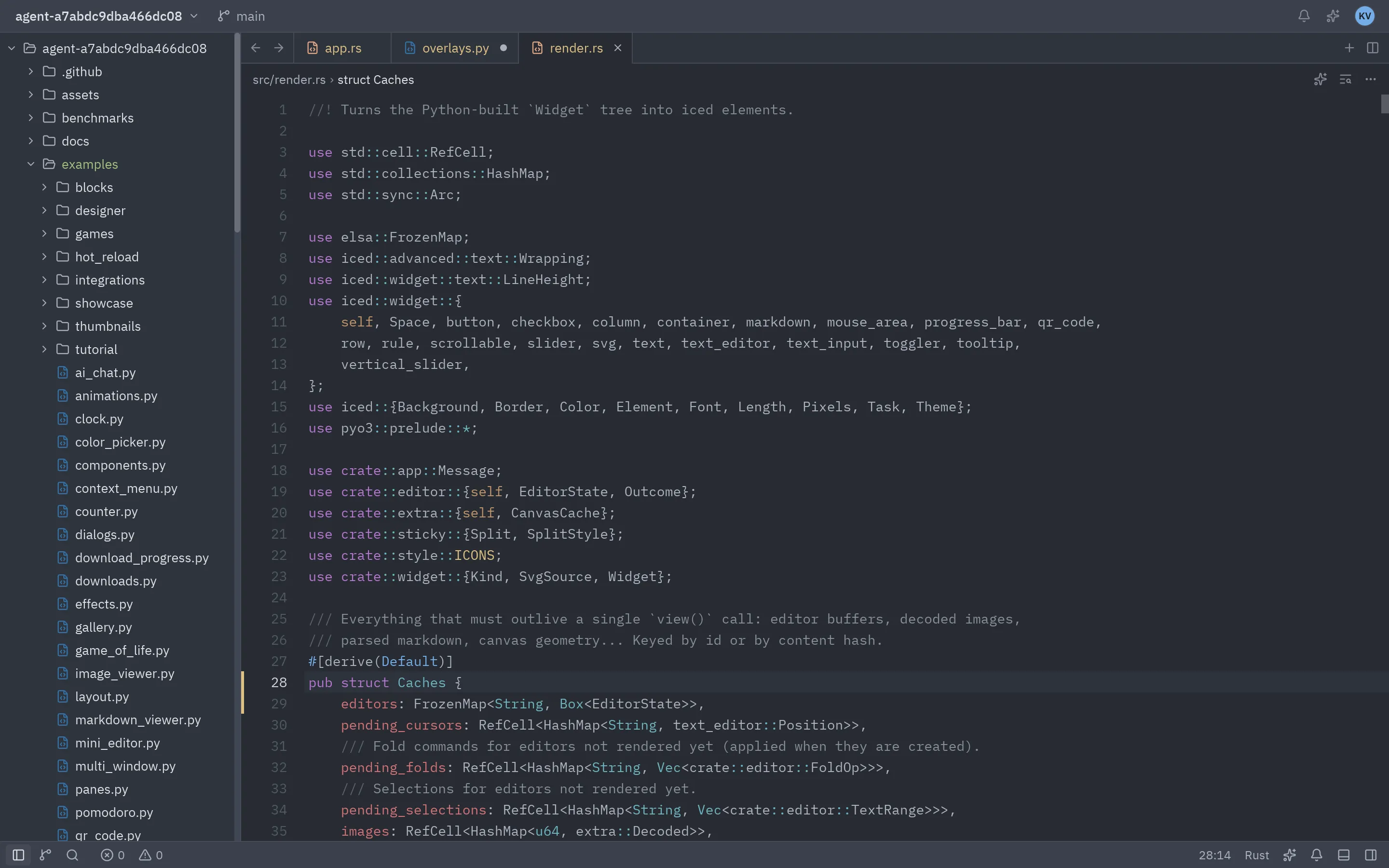
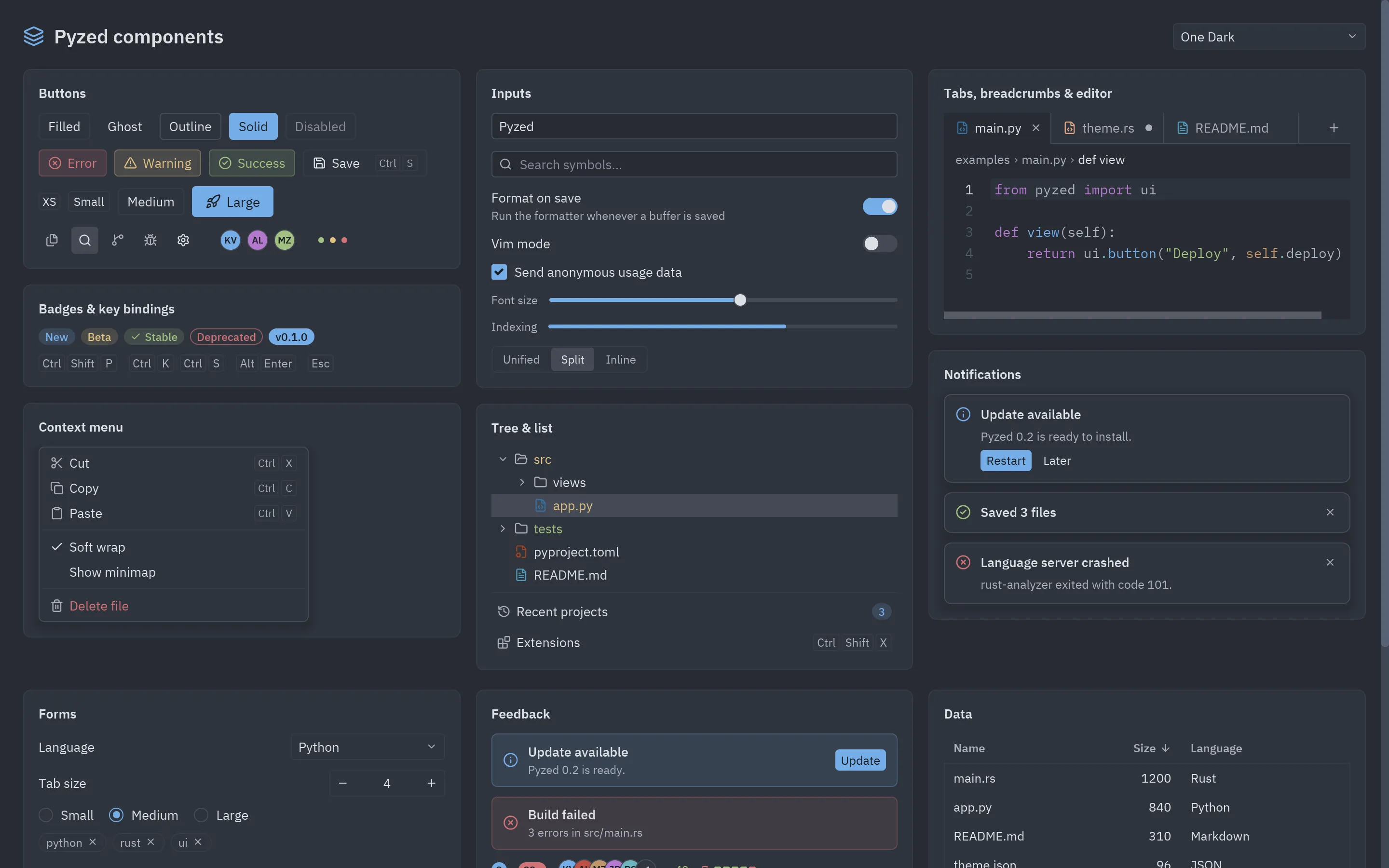
Dozens of components modelled on the Zed editor: buttons, inputs, tabs, trees,
command palettes, menus, toasts, a code editor and dockable panels. Themes (One, Ayu, Gruvbox),
dark mode and following the OS’s appearance are built in.
Native speed, drawn by Rust
Layout, text and drawing run in Rust through Iced and
wgpu (Vulkan, Metal, DirectX 12 or OpenGL), with a CPU renderer as fallback.
Python only describes the interface.
A Pythonic API
State lives in a normal class. view() returns what to show, and callbacks are plain methods
or lambdas. No signals, no slots, no .kv files, no widget IDs to look up.
A visual designer
Pyzed Design lets you draw forms, edit their code in a built-in editor with
completion and diagnostics, and run them, all in one app.
Hot reload that keeps your state
pyzed dev main.py: save a file and the running window changes, with your data still there.
Ready for AI assistants
An MCP server gives coding agents the exact API, the docs and screenshots
of what they build, and pyzed.agents puts models inside your app.
uvrunpyzedbuild# one standalone app for Windows, macOS or Linux
macOS and Linux
pipinstallpyzed-uiuv
pyzednewshop
cdshop
source.venv/bin/activate# the project's own .venv
pyzeddesign# draw the UI in Pyzed Design
pyzedrun# run it
pyzedbuild# one standalone app for Windows, macOS or Linux
Windows (PowerShell)
pip install pyzed-ui uv
pyzed new shop
cd shop
.venv\Scripts\Activate.ps1 # the project's own .venv
pyzed design # draw the UI in Pyzed Design
pyzed run # run it
pyzed build # one standalone app for Windows, macOS or Linux
macOS and Linux
python3-mpipinstallpyzed-uiuv
python3-mpyzednewshop
cdshop
.venv/bin/python-mpyzeddesign# draw the UI in Pyzed Design
.venv/bin/python-mpyzedrun# run it
.venv/bin/python-mpyzedbuild# one standalone app for Windows, macOS or Linux
Windows (PowerShell)
py -m pip install pyzed-ui uv
py -m pyzed new shop
cd shop
.venv\Scripts\python -m pyzed design # draw the UI in Pyzed Design
.venv\Scripts\python -m pyzed run # run it
.venv\Scripts\python -m pyzed build # one standalone app for Windows, macOS or Linux
Projects are ordinary uv projects, so dependencies, lock files, linting
(ruff) and type checking (ty) work the way the
rest of modern Python does. See Create a project and
Build and distribute.
There is no widget to find and update when the count changes: you change self.count and Pyzed calls
view() again. This is the Elm architecture that Iced uses,
and the same idea as React or SwiftUI, so it will feel familiar if you come from the web or mobile.
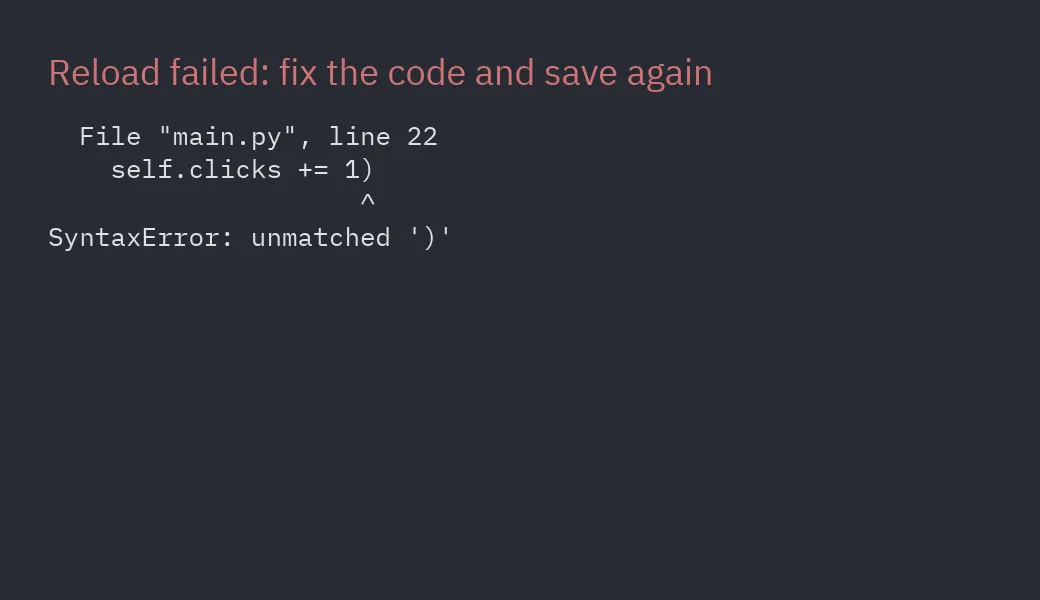
Edit, save, see. Hot reload keeps the app’s state, and when the new code fails, the error is shown in
the window until you save a fix.
Your editor knows the API. The package ships type information (py.typed and stubs for the Rust
core), so completion and type checking work in VS Code, PyCharm, Zed and with ty or mypy.
Screenshots without a screen.app.screenshot("view.png") renders off-screen, with no window or GPU,
for tests, CI and documentation. Every image on this site was made that way.
Agents that do not guess. Connect the MCP server to Claude Code, Cursor, VS Code
or Zed and your assistant looks up real signatures, reads these docs and checks the code it writes. The
docs are also published as plain text for language models in llms.txt.
Async when you need it. Callbacks can be async def functions or generators; Pyzed runs them and
sends their results back to update. See Background tasks.
Pyzed is young: its first release was in 2026, while tkinter, Qt and wxPython have decades behind them.
Today it targets desktop only (Windows, macOS and Linux): no Android, iOS or browser builds, which
Kivy and Flet offer. Screen readers are not supported yet
because Iced does not expose accessibility information (details),
and its ecosystem of third-party widgets is small. The comparison spells out where
other toolkits are the better choice.