
Quickstart
1. A window
Section titled “1. A window”import pyzed as pz
class Hello(pz.App): title = "Hello" size = (400, 240)
def view(self): return pz.center(pz.text("Hello, Pyzed", size=24))
pz.run(Hello)uv run python hello.pypython hello.pypython3 hello.pypy hello.pyAn app is a class that inherits from pz.App. Its view() method returns the widgets that are shown.
pz.run() opens the window and blocks until it is closed.
2. State and messages
Section titled “2. State and messages”State lives in your object. Interactive widgets take a message: any Python
value. When the user clicks the button, Pyzed calls update(message) and redraws.
import pyzed as pzfrom pyzed import ui

class Counter(pz.App):    title = "Counter"    size = (360, 220)
    def __init__(self):        self.count = 0
    def update(self, message):        if message == "increment":            self.count += 1        elif message == "decrement":            self.count -= 1
    def view(self):        return pz.center(            pz.column([                ui.heading(str(self.count)),                pz.row([                    ui.button("1", "decrement", icon="minus"),                    ui.button("1", "increment", icon="plus", variant="solid"),                    ui.icon_button("rotate-ccw", lambda: setattr(self, "count", 0), tooltip="Reset"),                ], spacing=8),            ], spacing=16, align="center"),            bg=self.resolved_theme().editor,        )

pz.run(Counter)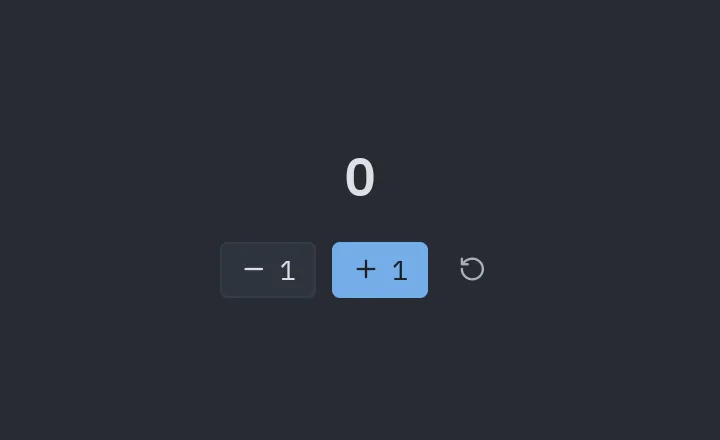
3. Callables instead of messages
Section titled “3. Callables instead of messages”If the message is a callable (a lambda or a method), Pyzed calls it directly and skips
update. For small apps this is usually the most convenient:
ui.button("Save", self.save) # calls self.save()ui.button("Delete", lambda: self.delete(id)) # with argumentsControls that produce a value (on_input, on_toggle, on_change…) call the callable
with that value:
ui.input(self.name, lambda text: setattr(self, "name", text), placeholder="Your name")4. Components and themes
Section titled “4. Components and themes”pyzed.ui ships ready-made components. They all read the current theme:
class MyApp(pz.App):    theme = pz.themes.ONE_LIGHT
    def toggle_theme(self):        self.theme = "One Light" if self.resolved_theme().is_dark else "One Dark"