
Languages and dialogs
Languages
Section titled “Languages”pyzed.i18n keeps one catalog of texts per language. Views look texts up with pz.t, so
switching the language from a handler redraws the whole app in the new one.
import pyzed as pzfrom pyzed import i18n
i18n.add("en", {"greeting": "Hello, {name}!", "files": {"one": "{count} file", "other": "{count} files"}})i18n.add("es", {"greeting": "¡Hola, {name}!", "files": {"one": "{count} archivo", "other": "{count} archivos"}})i18n.set_language(i18n.system_language())   # or "es", "pt_BR"...

class Hello(pz.App): def view(self): return pz.column([ pz.text(pz.t("greeting", name="Kev")), pz.text(pz.t("files", count=3)), pz.button("Español", on_press=lambda: i18n.set_language("es")), ])- Placeholders like
{name}are filled from the keyword arguments. - A text with
one/other(and optionallyzero) forms is a plural;count=picks the form. - Nested tables become dotted keys:
{"menu": {"open": "Open"}}ispz.t("menu.open"). - Missing texts fall back from
"es_AR"to"es", then to the fallback language ("en", seei18n.set_fallback), then to the key itself.
Catalogs can live in files, one per language, next to your app:
locales/├── en.json {"greeting": "Hello, {name}!"}└── es.toml greeting = "¡Hola, {name}!"i18n.load("locales") # ["en", "es"]Pyzed’s own components (the dialogs below, the dock’s menu) are translated too. English and
Spanish are built in; their keys start with pyzed. (pyzed.ok, pyzed.cancel…), so
i18n.add("fr", {"pyzed": {"ok": "OK", "cancel": "Annuler"}}) adds French.
Dialogs
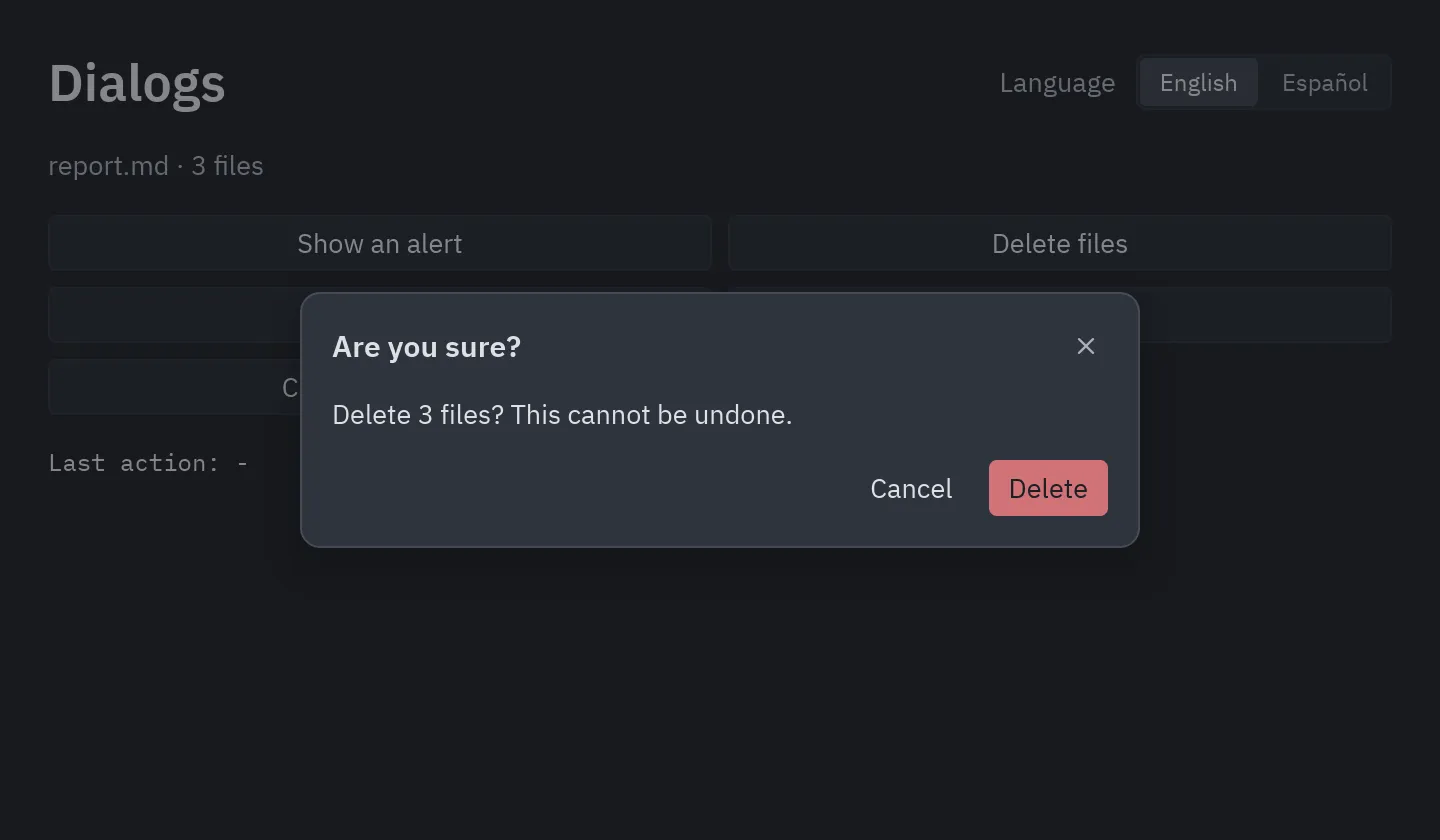
Section titled “Dialogs”pyzed.ui has ready-made dialogs. Keep which one is open in your state and wrap the view
with ui.dialog_layer, which dims the window and centers the dialog:
from pyzed import ui
class Files(pz.App):    asking = False
    def delete(self):        ...        self.asking = False
def view(self): dialog = None if self.asking: dialog = ui.confirm("Delete 3 files?", self.delete, lambda: setattr(self, "asking", False), danger=True) return ui.dialog_layer(self.main_view(), dialog, on_dismiss=lambda: setattr(self, "asking", False))| Dialog | What it does |
|---|---|
ui.alert(message, on_close, kind=) |
A message with an OK button; kind adds an info, success, warning or error icon. |
ui.confirm(message, on_confirm, on_cancel, danger=) |
A yes/no question; danger=True makes the button a red Delete. |
ui.prompt(title, value, on_input, on_submit, on_cancel) |
Asks for a line of text (Enter submits). |
ui.choice(message, [(label, on_press), ...], on_cancel) |
Your own buttons; the last one is the main one. |
ui.unsaved_changes(name, on_save, on_discard, on_cancel) |
“Save your changes before closing?” |
For anything else, ui.modal(content, title=, footer=[...]) is the same surface with your
own content. See examples/dialogs.py.