
Drawing with canvas
pz.canvas is a 2D drawing surface. Shapes are created with pyzed.draw and are plain
dictionaries, so building them every frame is cheap.
examples/game_of_life.py: thousands of cells drawn on one canvas, stepped by pz.every.import pyzed as pzfrom pyzed import draw
pz.canvas([ draw.background("#1e2127"), draw.circle(100, 100, 40, fill="#74ade8"), draw.line(0, 0, 200, 200, stroke="#d07277", width=2, dash=[6, 4]), draw.text(100, 180, "Hello", color="#dce0e5", align_x="center"),], width=200, height=200)Angles are in degrees, y grows downwards, and colors accept the same values as pz.text.
Shapes
Section titled “Shapes”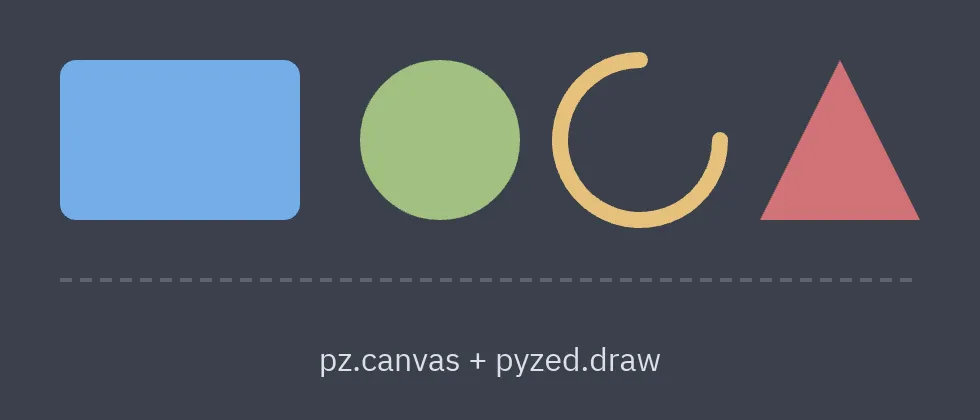
| Function | Shape |
|---|---|
draw.background(color) |
Fills the whole canvas. |
draw.rect(x, y, w, h, fill=, stroke=, width=, radius=, dash=) |
Rectangle (rounded with radius). |
draw.rects([(x, y, w, h), ...], fill=) |
Many rectangles of one color in a single shape (fast for grids). |
draw.circle(x, y, r, ...) |
Circle. |
draw.line(x1, y1, x2, y2, stroke=, width=, dash=, cap=) |
Line; cap="round" rounds the ends. |
draw.polyline(points, closed=False) / draw.polygon(points) |
Lines joining points / closed shape. |
draw.arc(x, y, r, start, end, pie=False) |
Arc (0° = 3 o’clock, clockwise); pie=True closes it through the center. |
draw.path(ops) |
Free-form path with SVG-like operations: ("M", x, y), ("L", x, y), ("Q", cx, cy, x, y), ("C", ...), ("A", cx, cy, r, start, end), ("Z",). |
draw.text(x, y, text, color=, size=, font=, weight=, align_x=, align_y=) |
Text anchored at (x, y). |
draw.image(source, x, y, w, h, rotation=, opacity=, pixelated=) |
A bitmap (sprite), decoded once and cached. See Making games. |
Transforms
Section titled “Transforms”draw.translate(x, y), draw.rotate(degrees) and draw.scale(x, y) affect the shapes that
come after them. Scope them with draw.save() / draw.restore(), or use draw.group:
def hand(angle, length, color):    return draw.group(        [draw.line(0, 0, 0, -length, stroke=color, width=3, cap="round")],        x=100, y=100, rotation=angle,    )
pz.canvas([draw.circle(100, 100, 90, stroke="#5c6370", width=2),           *hand(self.minutes * 6, 70, "#dce0e5"),           *hand(self.seconds * 6, 85, "#d07277")], width=200, height=200)
Mouse events
Section titled “Mouse events”pz.canvas accepts callbacks that receive coordinates relative to the canvas:
pz.canvas(shapes, width=400, height=300, on_press=lambda x, y: self.paint(x, y), on_move=lambda x, y: self.move(x, y), cursor="crosshair")See the canvas reference for the full list.
Performance
Section titled “Performance”Give the canvas an id to cache its geometry between frames: it is only re-tessellated when the
shapes change. For thousands of cells, use draw.rects instead of one draw.rect per cell.
The pyzed.ui charts (sparkline, bar_chart, donut, spinner) are built with canvas:
see python/pyzed/ui/display.py
for an example.