
A multi-view app
Real apps have more than one screen: a home page, an inbox, settings. In Pyzed, “which screen is showing” is just
a piece of state, like any other. Change it and view() draws the other screen. There is no router to learn.
| Goal | Time | Level | You need |
|---|---|---|---|
| An app with a sidebar, three pages and tabs | 25 minutes | Intermediate · Python | Layout basics |
What you’ll learn
Section titled “What you’ll learn”- Keep the current page in
self.pageand pick the view from it. - Build a sidebar of
ui.list_itemrows with a selected state and a badge. - Use
ui.segmentedas tabs inside a page. - Show breadcrumbs and jump between pages with shortcuts (
on_key).
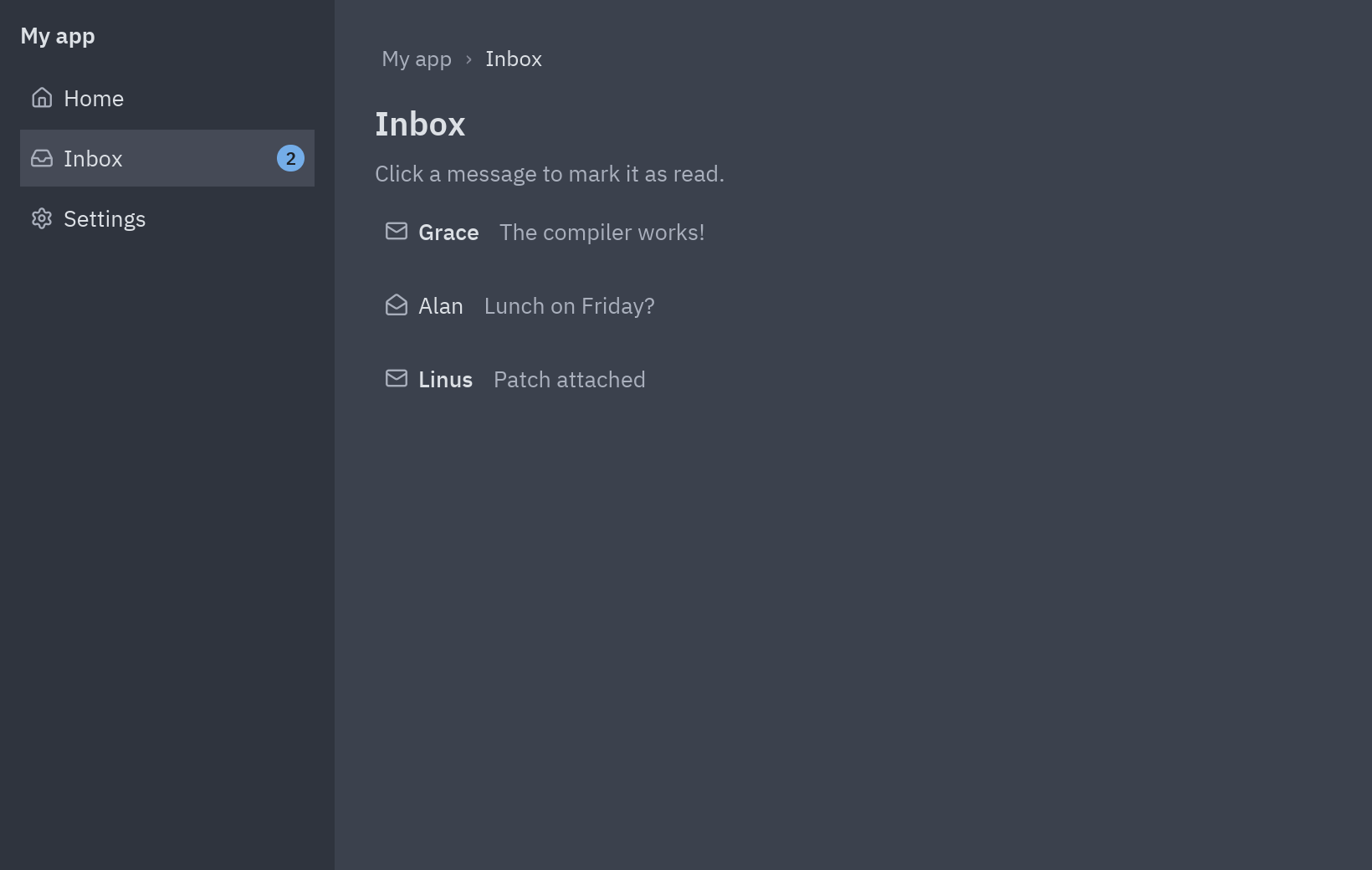
-
One attribute decides the page.
PAGES = {"Home": "house", "Inbox": "inbox", "Settings": "settings"} # name → icondef __init__(self):self.page = "Home"def go(self, page):self.page = page -
The sidebar. One
ui.list_itemper page.selected=highlights the current one,end=puts a counter at the right. Thename=namein the lambda captures each page’s own name:items = [ui.list_item(name, lambda name=name: self.go(name), icon=icon,selected=name == self.page, height=34)for name, icon in PAGES.items()] -
Pick the page in
view(). Each page is a method that returns widgets; a dict maps names to methods:page = {"Home": self.home, "Inbox": self.inbox, "Settings": self.settings}[self.page]()return pz.row([self.sidebar(), pz.column([breadcrumbs, page], padding=24, width="fill")]) -
Tabs inside a page. A second attribute,
self.tab, and aui.segmentedcontrol to change it. The body below depends on it:tabs = ui.segmented(["General", "Notifications", "About"], self.tab,lambda tab: setattr(self, "tab", tab))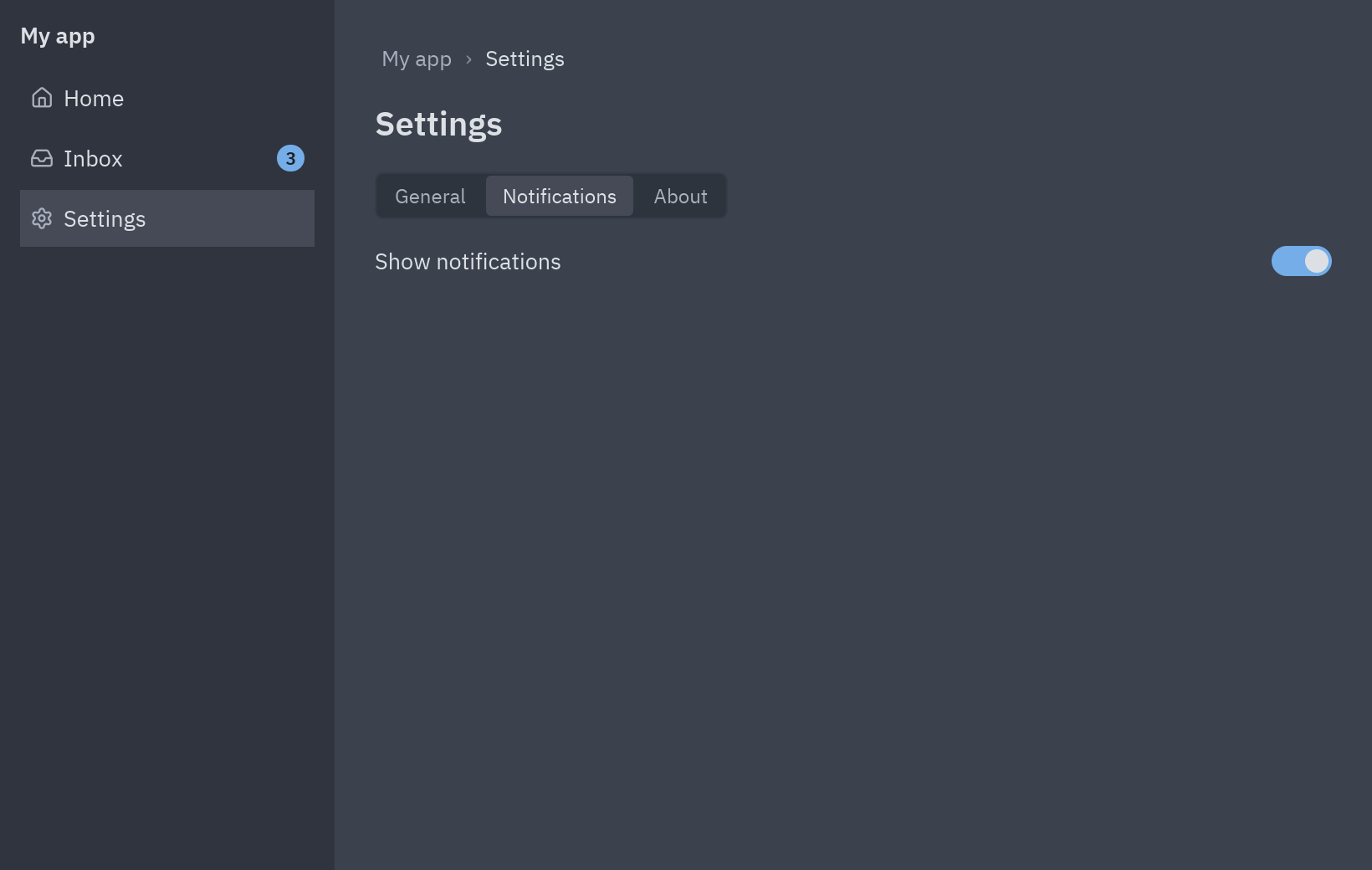
Settings: a segmented control works as tabs. -
Shortcuts.
on_keyreceives every key combination as text. Ctrl+1, Ctrl+2 and Ctrl+3 open the pages:def on_key(self, combo):shortcuts = {f"ctrl-{i}": page for i, page in enumerate(PAGES, start=1)}if combo in shortcuts:self.go(shortcuts[combo])
Full code
Section titled “Full code”"""A multi-view app: a sidebar that switches pages, and tabs inside a page.
python examples/tutorial/navigation.py
- The current page is one attribute (``self.page``); ``view()`` draws the page it names.- The sidebar is a column of ``ui.list_item`` rows; the selected one is highlighted.- Inside "Settings", ``ui.segmented`` works as a row of tabs (``self.tab``).- ``ui.breadcrumbs`` shows where you are; Ctrl+1, Ctrl+2 and Ctrl+3 jump between pages.
Walkthrough: https://albakore.github.io/pyzed/tutorials/intermediate/navigation/"""
import pyzed as pzfrom pyzed import ui
PAGES = {"Home": "house", "Inbox": "inbox", "Settings": "settings"}MESSAGES = [("Grace", "The compiler works!"), ("Alan", "Lunch on Friday?"), ("Linus", "Patch attached")]
class Navigation(pz.App): title = "Navigation" size = (820, 520)
def __init__(self): self.page = "Home" self.tab = "General" self.notifications = True self.read = set()
# -- moving around ------------------------------------------------------------------ def go(self, page): self.page = page
def on_key(self, combo): shortcuts = {f"ctrl-{i}": page for i, page in enumerate(PAGES, start=1)} if combo in shortcuts: self.go(shortcuts[combo])
# -- the pieces --------------------------------------------------------------------- def sidebar(self): t = self.resolved_theme() unread = len(MESSAGES) - len(self.read) items = [ ui.list_item(name, lambda name=name: self.go(name), icon=icon, selected=name == self.page, height=34, end=ui.count_badge(unread) if name == "Inbox" and unread else None) for name, icon in PAGES.items() ] return pz.container( pz.column([ui.label("My app", weight="semibold"), pz.vspace(8), *items], spacing=2), padding=12, width=200, height="fill", bg=t.panel, )
def home(self): return pz.column([ ui.heading("Welcome back", level=2), ui.muted("Pick a page on the left, or press Ctrl+1, Ctrl+2 or Ctrl+3."), pz.row([ui.button("Open the inbox", lambda: self.go("Inbox"), variant="solid", icon="inbox"), ui.button("Settings", lambda: self.go("Settings"), icon="settings")], spacing=8), ], spacing=12)
def inbox(self): rows = [ ui.list_item(pz.row([ui.label(who, weight="medium" if i not in self.read else "normal"), ui.muted(text)], spacing=12), lambda i=i: self.read.add(i), icon="mail-open" if i in self.read else "mail", height=36) for i, (who, text) in enumerate(MESSAGES) ] return pz.column([ui.heading("Inbox", level=2), ui.muted("Click a message to mark it as read."), *rows], spacing=8)
def settings(self): tabs = ui.segmented(["General", "Notifications", "About"], self.tab, lambda tab: setattr(self, "tab", tab)) if self.tab == "General": body = ui.field("Theme", ui.select(["One Dark", "One Light"], self.resolved_theme().name, lambda name: setattr(self, "theme", name), width=180)) elif self.tab == "Notifications": body = ui.field("Show notifications", ui.switch(self.notifications, lambda on: setattr(self, "notifications", on))) else: body = ui.label("Version 1.0 · made with Pyzed") return pz.column([ui.heading("Settings", level=2), tabs, body], spacing=16)
def view(self): t = self.resolved_theme() page = {"Home": self.home, "Inbox": self.inbox, "Settings": self.settings}[self.page]() content = pz.column([ ui.breadcrumbs(["My app", self.page], on_press=lambda i: self.go("Home") if i == 0 else None), page, ], spacing=16, padding=24, width="fill") return pz.container(pz.row([self.sidebar(), content], height="fill"), width="fill", height="fill", bg=t.background)
if __name__ == "__main__": pz.run(Navigation)uv run --with pyzed-ui python examples/tutorial/navigation.pypython3 -m venv .venvsource .venv/bin/activatepython -m pip install pyzed-uipython examples/tutorial/navigation.pypy -m venv .venv.venv\Scripts\Activate.ps1python -m pip install pyzed-uipython examples\tutorial\navigation.pypython3 examples/tutorial/navigation.pypy examples\tutorial\navigation.pyEvents in this tutorial
Section titled “Events in this tutorial”| Widget | Event | Handler |
|---|---|---|
Sidebar ui.list_item |
on_press |
lambda name=name: self.go(name) |
| The app | on_key |
ctrl-1, ctrl-2, ctrl-3 go to a page |
ui.breadcrumbs |
on_press |
gets the index of the part: 0 goes home |
Inbox ui.list_item |
on_press |
marks the message as read |
ui.segmented, ui.select, ui.switch |
on_select, on_select, on_toggle |
the tab, the theme, on/off |
Try more events
Section titled “Try more events”Back and forward with a history, like a browser:
def __init__(self):    ...    self.history, self.future = [], []
def go(self, page):    if page != self.page:        self.history.append(self.page)        self.future.clear()        self.page = page
def on_key(self, combo):    if combo == "alt-left" and self.history:        self.future.append(self.page)        self.page = self.history.pop()    elif combo == "alt-right" and self.future:        self.history.append(self.page)        self.page = self.future.pop()
Mice with back and forward buttons send them as mouse_down with event.button set: add
.on(mouse_down=lambda e: ...) to the page.
- Lists and tables with data.
- Multiple windows: several real windows that share state.
- The Dashboard and Settings showcases use the same sidebar.