
Developer experience with Pyzed
Speed numbers matter less than how a toolkit feels at 11 pm when you are trying to finish something. This page walks through a Pyzed project from the first command to a packaged app, and compares each step with what the other toolkits ask of you. Where we say “we measured” or “we hit”, it happened while preparing the benchmarks.
1. Install
Section titled “1. Install”uv add pyzed-uipip install pyzed-uipython3 -m pip install pyzed-uipy -m pip install pyzed-uiOne wheel with the Rust core already compiled, for Windows, macOS and Linux, and no runtime dependencies. Compare what we ran into on a clean Ubuntu 24.04 container:
| Toolkit | What pip install needed there |
|---|---|
| Pyzed | Nothing else (a desktop Linux already has the libxkbcommon-x11 library it loads; our bare container did not) |
| tkinter | Not installable from pip: it comes with Python, or with a python3-tk system package on Debian and Ubuntu |
| PySide6 | Nothing else, but a large download (see install size) |
| Kivy, Dear PyGui | Nothing else |
| Flet | flet[desktop]; the desktop client is downloaded the first time an app runs, and on Linux it needed the libsecret and libgles2 system packages |
| Toga | Failed until we installed libgirepository-2.0-dev and libcairo2-dev with apt, because PyGObject was compiled from source |
| wxPython | No Linux wheels on PyPI: pip compiles wxWidgets from source (wheels for some distributions are on wxpython.org) |
2. First window
Section titled “2. First window”uvx --from pyzed-ui pyzed new hello --scriptcd hellouv run --with pyzed-ui main.pypyzed new hello --scriptcd hellopython main.pypython3 -m pyzed new hello --scriptcd hellopython3 main.pypy -m pyzed new hello --scriptcd hellopy main.pyor a full uv project with linting, type checking and git with pyzed new hello.
The app is a class with a view():
import pyzed as pzfrom pyzed import ui

class Hello(pz.App):    title = "Hello"    name = ""
    def view(self):        return pz.center(pz.column([            ui.input(self.name, lambda text: setattr(self, "name", text), placeholder="Your name"),            ui.heading(f"Hello, {self.name or 'world'}!"),        ], spacing=12, max_width=320))

pz.run(Hello)
It already has a dark theme, focus rings, hover states and proper text rendering; nothing to style.
How much code?
Section titled “How much code?”We wrote the same two apps in every toolkit, in the style of each project’s own documentation (source), and counted the lines that are not blank, comments or docstrings.
- CustomTkinter6.0.014 lines
- tkinterTk 9.0.315 lines
- Flet1.0.417 lines
- Pyzed1.2.019 lines
- Dear PyGui2.3.119 lines
- Toga0.5.719 lines
- PySide6 (Qt)6.12.028 lines
- Kivy2.3.131 lines
- Flet1.0.422 lines
- Dear PyGui2.3.129 lines
- Pyzed1.2.031 lines
- CustomTkinter6.0.032 lines
- Toga0.5.735 lines
- tkinterTk 9.0.339 lines
- PySide6 (Qt)6.12.062 lines
- Kivy2.3.181 lines
Line counts depend on style, so read them as a rough guide. The bigger difference is what the lines do:
in tkinter, Qt, Flet and Dear PyGui part of the code copies data into widgets and keeps them in sync; in
Pyzed, view() is the only place that turns data into widgets.
3. Hot reload
Section titled “3. Hot reload”uv run pyzed dev main.pypyzed dev main.pypython3 -m pyzed dev main.pypy -m pyzed dev main.pyEdit view(), a helper module or a style and save: the window updates in place, with your data still
there (the app object is kept and gets the new class). New methods and new attributes in __init__ show up
without restarting, and a changed initial value applies if the app has not changed it (see
Hot reload). If the new code fails, the error appears in the window, and the next
save that fixes it brings the app back.
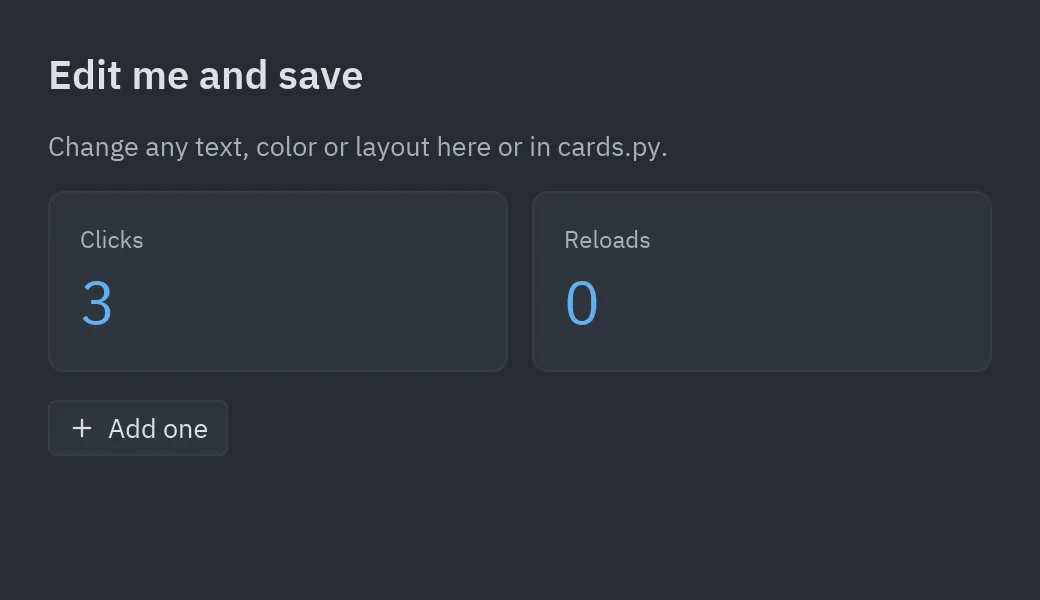
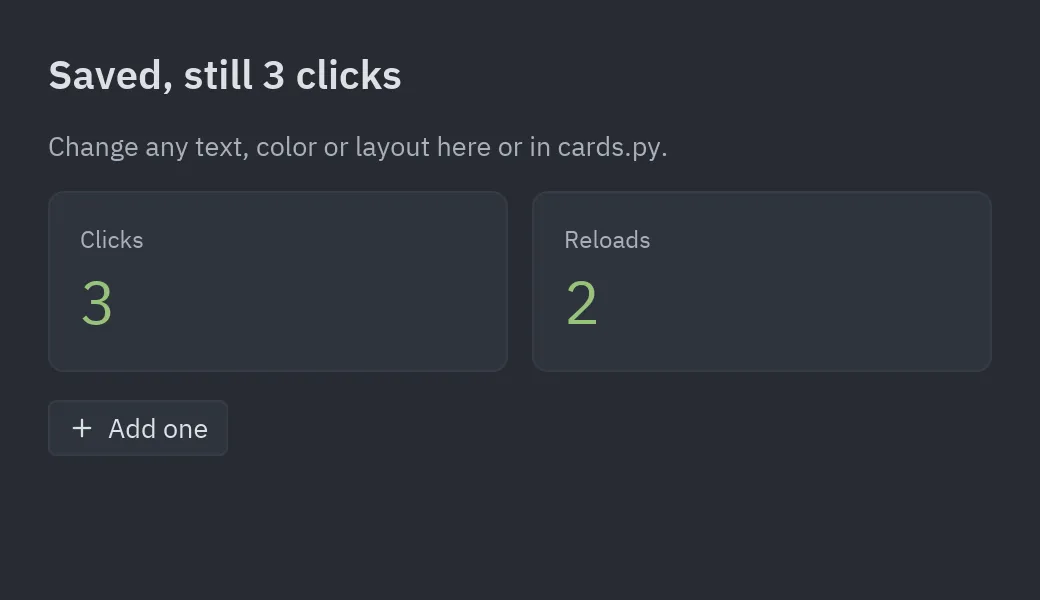
Flet restarts the app on save, and NiceGUI reloads its server, so in-memory state starts over. Qt offers a live preview for QML in its tools, not for Python Widgets code. tkinter, Kivy, Dear PyGui and Toga need a restart (or a third-party tool).
4. A visual designer that writes Python
Section titled “4. A visual designer that writes Python”pyzed design opens Pyzed Design: drag components onto a form, set their properties,
wire events to Python handlers, edit code with completion and diagnostics (ty and ruff), and run the form.
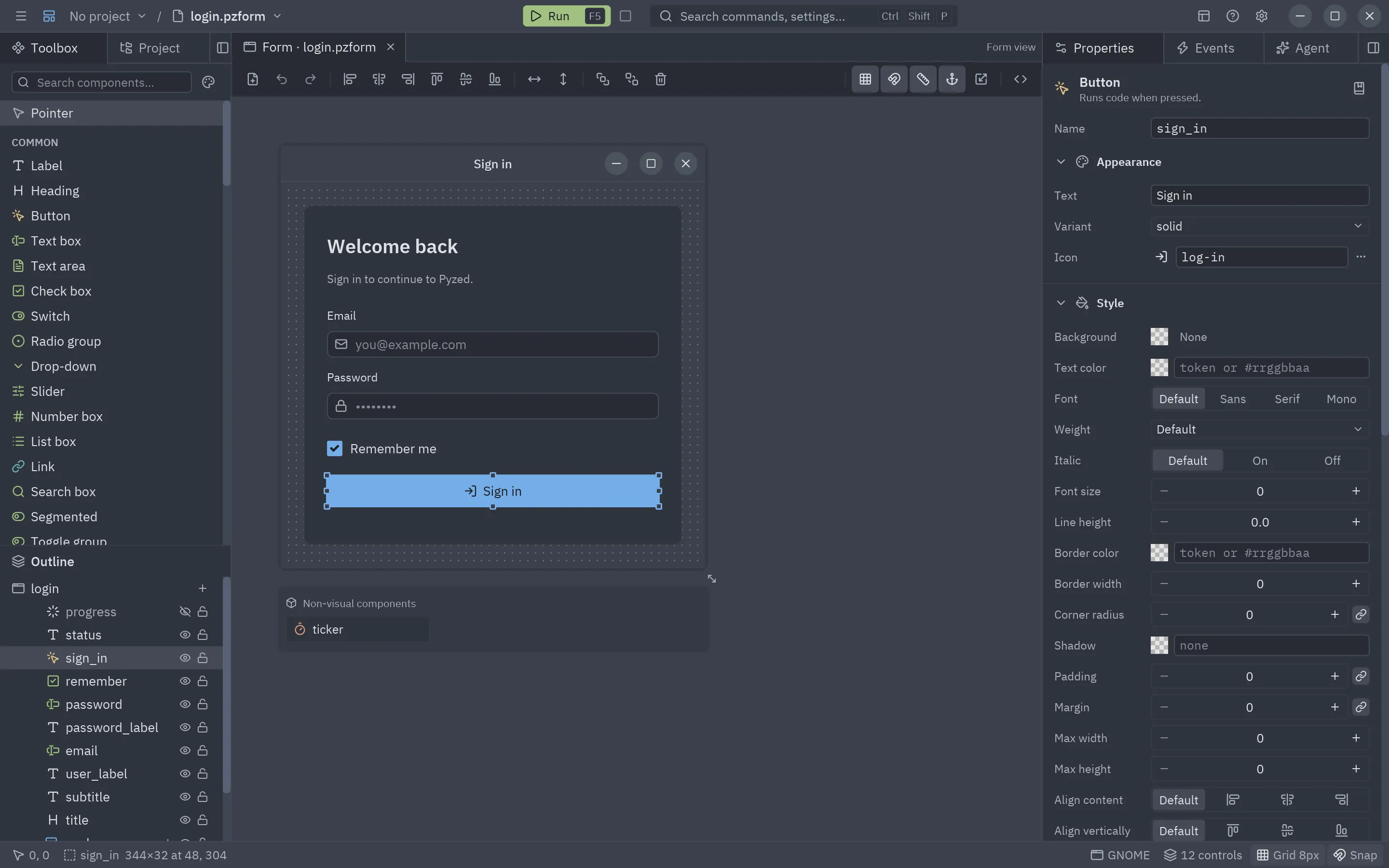
Qt has the most powerful designers (Qt Designer, Qt Creator, Qt Design Studio). tkinter and wxPython have third-party designers; Kivy, Dear PyGui, Flet, Toga and NiceGUI have none.
5. Autocomplete and type checking
Section titled “5. Autocomplete and type checking”The package is typed (py.typed, with stubs for the Rust core), so editors complete widget arguments and
type checkers catch mistakes before you run anything:
ui.button("Save", self.save, variant="solid", size="sm", keys="ctrl-s")# ^ completion lists every option, with its documentationNew projects run ty and ruff with
pyzed check.
6. Error messages that say what to fix
Section titled “6. Error messages that say what to fix”Mistakes are caught when the widget is created, with the value that was wrong:
ValueError: unknown button variant 'soild'ValueError: unknown icon 'plsu'; see pyzed.icons.names()ValueError: invalid color: "#12345"TypeError: text() got an unexpected keyword argument 'colr'An exception inside view() or a callback shows up in the window (with hot reload) or as a normal Python
traceback that points at your line, not at the C++ or Rust code underneath.
7. Screenshots and tests without a screen
Section titled “7. Screenshots and tests without a screen”app = Todo()app.tasks = [["Write docs", False], ["Ship it", True]]app.screenshot("todo.png", size=(420, 320))screenshot renders off-screen with the CPU, so it works in CI and in tests; see
Tests and screenshots. Other toolkits need a virtual display (Xvfb) or a screen
grabber for the same thing.
8. Packaging
Section titled “8. Packaging”uv run pyzed build # dist/MyApp (a folder) or --onefilepyzed build # dist/MyApp (a folder) or --onefilepython3 -m pyzed build # dist/MyApp (a folder) or --onefilepy -m pyzed build # dist/MyApp (a folder) or --onefilepyzed build wraps PyInstaller and fills in what forms load at runtime. Elsewhere: Qt has
pyside6-deploy (Nuitka), Flet’s flet build needs the Flutter SDK, Toga uses Briefcase (very good, and
it also targets phones), Kivy uses Buildozer for Android and PyInstaller for desktop. See
Build and distribute.
9. Working with AI assistants
Section titled “9. Working with AI assistants”Language models write better code for APIs they can look up. Pyzed gives them:
- an MCP server with the exact signature of every widget, the docs, code checks and screenshots of the result, so an agent in Claude Code, Cursor, VS Code or Zed can see what it built;
- this documentation as plain text in
llms.txt; - the designer’s Agent panel, which edits forms with you;
pyzed.agentsto put models with tools inside your own app.
Flet also publishes an MCP server; Qt offers Qt AI Assistant in Qt Creator (commercial, aimed at C++ and QML).