
Events
Any widget can react to the events that graphical editors usually offer: clicks, double
clicks, hovering, dragging, focus, keys and size changes. Attach them with .on(...):
import pyzed as pz
card = pz.container(pz.text("Drag me"), padding=12, bg="#2c313a").on(    click=self.select,                        # takes no argument: just called    double_click=lambda e: self.rename(e.x),  # takes one: gets a pz.Event    drag=self.move,                           # e.dx, e.dy since the last drag event    key_down=self.shortcut,                   # after a click gives it the focus    cursor="grab",)
pz.on(widget, ...) does the same. Calling .on() again merges the handlers, and
None removes one. A handler can also be a message (any value that is not callable),
which goes to update, like every other Pyzed callback.
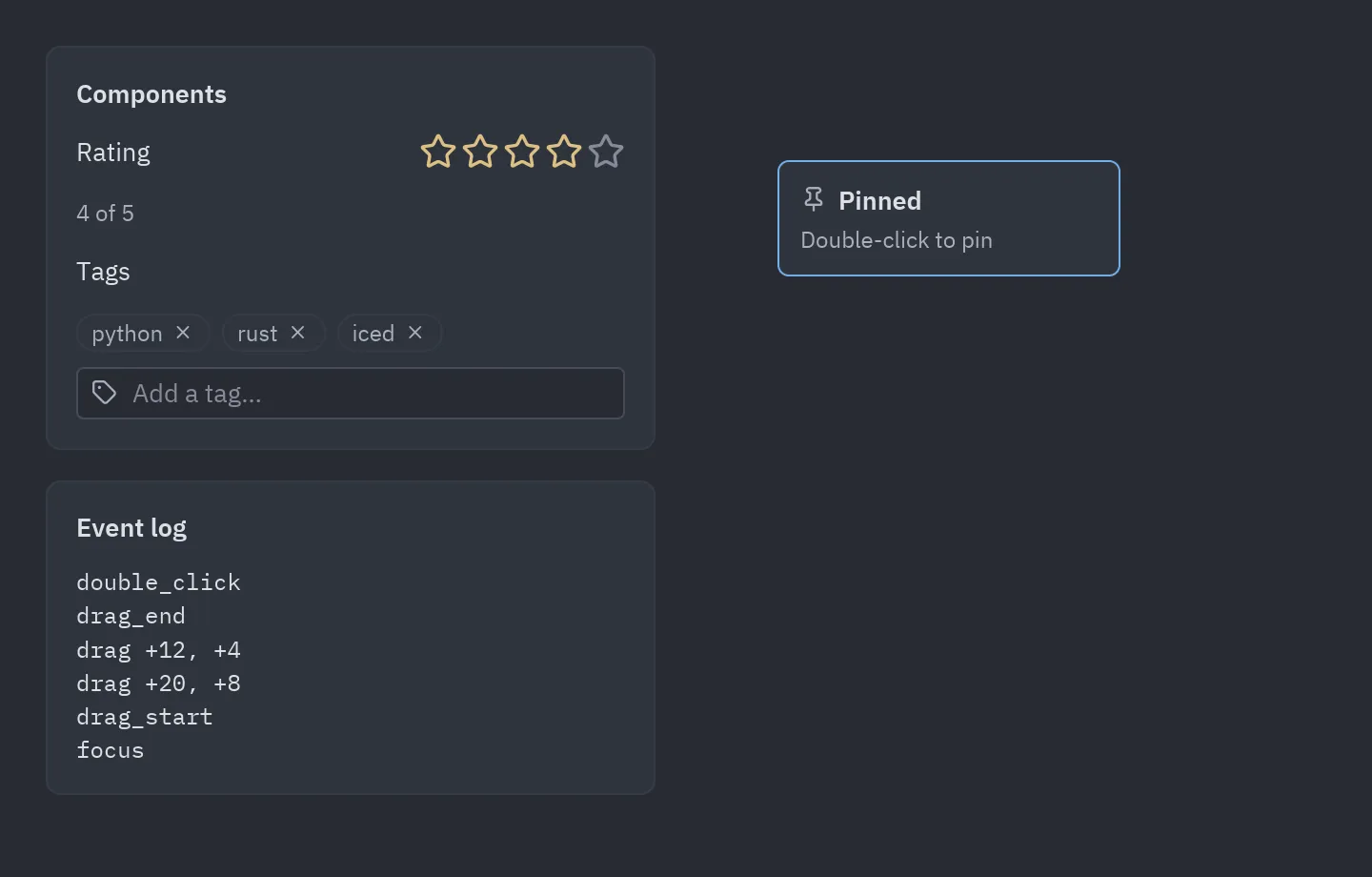
The events
Section titled “The events”| Group | Event | When |
|---|---|---|
| Mouse | click |
Pressed and released with the left button. |
double_click |
Two clicks in quick succession (after the second click). |
|
right_click, middle_click |
The right or middle button was pressed. | |
mouse_down, mouse_up |
Any button (event.button is "left", "right", …). |
|
mouse_enter, mouse_leave |
The pointer moved onto or off the widget. | |
mouse_move |
The pointer moved over the widget. | |
scroll |
The wheel turned (event.dx, event.dy in lines). |
|
| Drag | drag_start, drag, drag_end |
Left button held and moved a few pixels; drag reports the movement since the previous one. |
| Focus | focus, blur |
A click on the widget gives it the focus; a click elsewhere takes it away. |
| Keyboard | key_down, key_up |
Keys while focused (event.key such as "ctrl-s"). |
| Layout | resize |
The widget got a new size, including its first one. |
pz.events.CATALOG has this list with descriptions (the designer shows them).
The Event object
Section titled “The Event object”| Field | Meaning |
|---|---|
type |
The event name. |
x, y |
Pointer position relative to the widget’s top-left corner (position gives both). |
dx, dy |
Scroll amount, or drag movement since the previous drag. |
width, height |
The widget’s size (size gives both). |
button |
"left", "right", "middle"… for mouse buttons. |
key |
The key combo for key events. |
shift, ctrl, alt, logo |
Modifiers held. |
value, source |
For custom events: the value and the component that emitted it. |
A handler gets the event only if it has a required positional parameter (or *args).
lambda: ... and lambda i=i: ... are called with nothing, so the usual way of capturing
a loop variable keeps working.
Own events and common events
Section titled “Own events and common events”Every widget reacts to events in two layers:
| Own events | Common events | |
|---|---|---|
| What | The on_* parameters of a component: on_press, on_input, on_select, on_close… |
The 18 events of this page: click, mouse_enter, drag, key_down, resize… |
| Which widgets | Each component its own (a button has 1, a tab bar 7, a mouse area 10). | Every widget, whatever it is. |
| How | ui.input(text, self.typed, on_submit=self.send) |
widget.on(double_click=self.rename) |
| The handler gets | The component’s value: the text, the checked state, the item, the row… | Nothing, or a pz.Event. |
Both mix freely on the same widget:
ui.list_item("main.py", self.open, icon="file").on( # on_press: its own event right_click=lambda e: self.menu(e.x, e.y), # a common event mouse_enter=lambda: setattr(self, "hovered", "main.py"),)Events of every component lists the own events of each component, what its handler gets and how many events it can have in total. Each page of the library has an Events section with them, written in three styles.
Recipes
Section titled “Recipes”Hover and click
Section titled “Hover and click”class Cards(pz.App): def __init__(self): self.hovered = None self.opened = None
def card(self, name): hot = self.hovered == name return pz.container(pz.text(name), padding=16, radius=8, bg="#3b4048" if hot else "#2c313a").on( mouse_enter=lambda: setattr(self, "hovered", name), mouse_leave=lambda: setattr(self, "hovered", None), click=lambda: setattr(self, "opened", name), cursor="pointer", )
def view(self): return pz.row([self.card(n) for n in ("Inbox", "Drafts", "Sent")], spacing=8)A context menu where the pointer is
Section titled “A context menu where the pointer is”class Board(pz.App): def __init__(self): self.menu_at = None
def view(self): board = pz.container(ui.muted("Right-click anywhere"), width="fill", height="fill").on( right_click=lambda e: setattr(self, "menu_at", (e.x, e.y)), # where, inside the board ) x, y = self.menu_at or (0, 0) menu = ui.menu([ui.MenuItem("New note", lambda: setattr(self, "menu_at", None), icon="plus")]) return ui.popover(board, menu if self.menu_at else None, x=x, y=y, on_dismiss=lambda: setattr(self, "menu_at", None))Drag to move
Section titled “Drag to move”class Desk(pz.App): def __init__(self): self.x, self.y = 40, 40
def move(self, e): # e.dx, e.dy: movement since the last drag self.x += e.dx self.y += e.dy
def view(self): note = pz.container(pz.text("Drag me"), padding=12, radius=8, bg="#e5c07b", color="#282c34") return pz.stack([pz.pin(note.on(drag=self.move, cursor="grab"), x=self.x, y=self.y)], width="fill", height="fill")Double click to rename
Section titled “Double click to rename”class Rename(pz.App): def __init__(self): self.name, self.editing = "notes.py", False
def view(self): if self.editing: return ui.input(self.name, lambda t: setattr(self, "name", t), id="name", on_submit=lambda: setattr(self, "editing", False)) return ui.label(self.name).on(double_click=self.start)
def start(self): self.editing = True return pz.Command.focus("name") # a handler can return a commandCtrl + click to select several
Section titled “Ctrl + click to select several”class Files(pz.App): def __init__(self): self.selected = set()
def pick(self, name, e): if e.ctrl or e.logo: # Ctrl (Cmd on macOS) adds to the selection self.selected ^= {name} else: self.selected = {name}
def view(self): return pz.column([ ui.list_item(n, None, icon="file", selected=n in self.selected).on( click=lambda e, n=n: self.pick(n, e)) for n in ("a.py", "b.py", "c.py") ], width=240)Change the layout with the size
Section titled “Change the layout with the size”class Gallery(pz.App): def __init__(self): self.narrow = False
def view(self): items = [ui.card(ui.muted(f"Photo {i}"), width=160) for i in range(6)] layout = pz.column(items, spacing=8) if self.narrow else pz.row(items, spacing=8, wrap=True) return pz.container(layout, width="fill").on(resize=lambda e: setattr(self, "narrow", e.width < 520))Ctrl + wheel to zoom
Section titled “Ctrl + wheel to zoom”class Zoom(pz.App): def __init__(self): self.zoom = 1.0
def view(self): return pz.container(pz.text("Zoom me", size=16 * self.zoom), width="fill", height="fill").on( scroll=lambda e: setattr(self, "zoom", max(0.5, min(4, self.zoom + e.dy * 0.1))) if e.ctrl else None, double_click=lambda: setattr(self, "zoom", 1.0), )Focus and keys on any widget
Section titled “Focus and keys on any widget”class Field(pz.App): def __init__(self): self.focused, self.last_key = False, ""
def view(self): border = "#74ade8" if self.focused else "#3e4452" return pz.container(pz.text(self.last_key or "Click me, then press keys"), padding=16, border_color=border, border_width=1, radius=6).on( focus=lambda: setattr(self, "focused", True), blur=lambda: setattr(self, "focused", False), key_down=lambda e: setattr(self, "last_key", e.key), )In the three styles
Section titled “In the three styles”A handler of .on(...) can be a callable or a message, like any other handler, so the common events fit the
three styles:
# Imperative: the handler changes selfui.card(ui.muted("Hover me"), selected=self.hovered).on(    mouse_enter=lambda: setattr(self, "hovered", True),    mouse_leave=lambda: setattr(self, "hovered", False))
# Declarative: the handlers are messages, update() decides@dataclassclass Hover:    on: bool
ui.card(ui.muted("Hover me"), selected=self.hovered).on(mouse_enter=Hover(True), mouse_leave=Hover(False))
def update(self, message):    match message:        case Hover(on):            self.hovered = on
# Functional: a pure view asks for a new statedef view(state, set_state):    return ui.card(ui.muted("Hover me"), selected=state.hovered).on(        mouse_enter=lambda: set_state(hovered=True), mouse_leave=lambda: set_state(hovered=False))
A message given to .on() reaches update as it is, without the pz.Event. When you need the event’s data,
build the message in a lambda: drag=lambda e: Moved(e.dx, e.dy).
How it works
Section titled “How it works”The events are implemented once, in a native wrapper widget (src/events.rs), instead of
in each component. The wrapper only observes: it never stops an event, so a button inside
a card still gets its click, and the card gets one too.
sequenceDiagram
    participant OS as Window system
    participant Area as Event wrapper (Rust)
    participant Child as Wrapped widget
    participant Py as Your handler
    OS->>Area: mouse, keyboard and redraw events
    Area->>Child: forwards every event first
    Area->>Area: works out click, double click, drag, focus, resize
    Area->>Py: pz.Event(type, x, y, ...)
    Py-->>Area: None, a Command or a message
    Note over Py: the window redraws after each handler
Components made with pz.Component accept these events too
(on_click=...), and add their own: see creating your own events.
In a designed form, the events of each control are wired in the Events panel.