
Effects
Effects are style properties, so they work with style(), pz.Style
and named styles. Several of them are also animatable properties,
so an animation can change them over time.

| Property | What it does | Animatable |
|---|---|---|
opacity |
0 to 1. Fades the widget and everything inside it. | Yes |
rotate |
Degrees clockwise (or "0.25turn", "1rad"): draws the widget turned around its center. |
Yes |
blur |
Pixels: blurs the widget and everything inside it. | Yes |
backdrop_blur |
Pixels: blurs what is behind the box, inside its rounded corners. | No |
glow |
A soft halo around the box: a color, a size (accent color) or (color, size). |
Yes (glow and glow_color) |
bloom |
Light that spills from the bright parts of the widget: a color or (color, intensity) with an intensity from 0 to 1. |
No |
glass |
A translucent panel that blurs what is behind it, with a light edge: True, a tint color or {"tint": ..., "strength": 0.08, "blur": 20}. |
No (move it with x, y) |
translate |
(x, y) in pixels or "50%": draws the widget moved, without changing the layout. |
Yes (as x, y) |
scale |
Draws the widget bigger or smaller around its center. | Yes |
pz.container(card).style(glass=True, radius=12, padding=16)ui.button("Go", self.go).style(glow=("#22d3ee", 18))badge.style(bloom=("accent", 0.8), opacity=0.9)sticker.style(rotate=-8)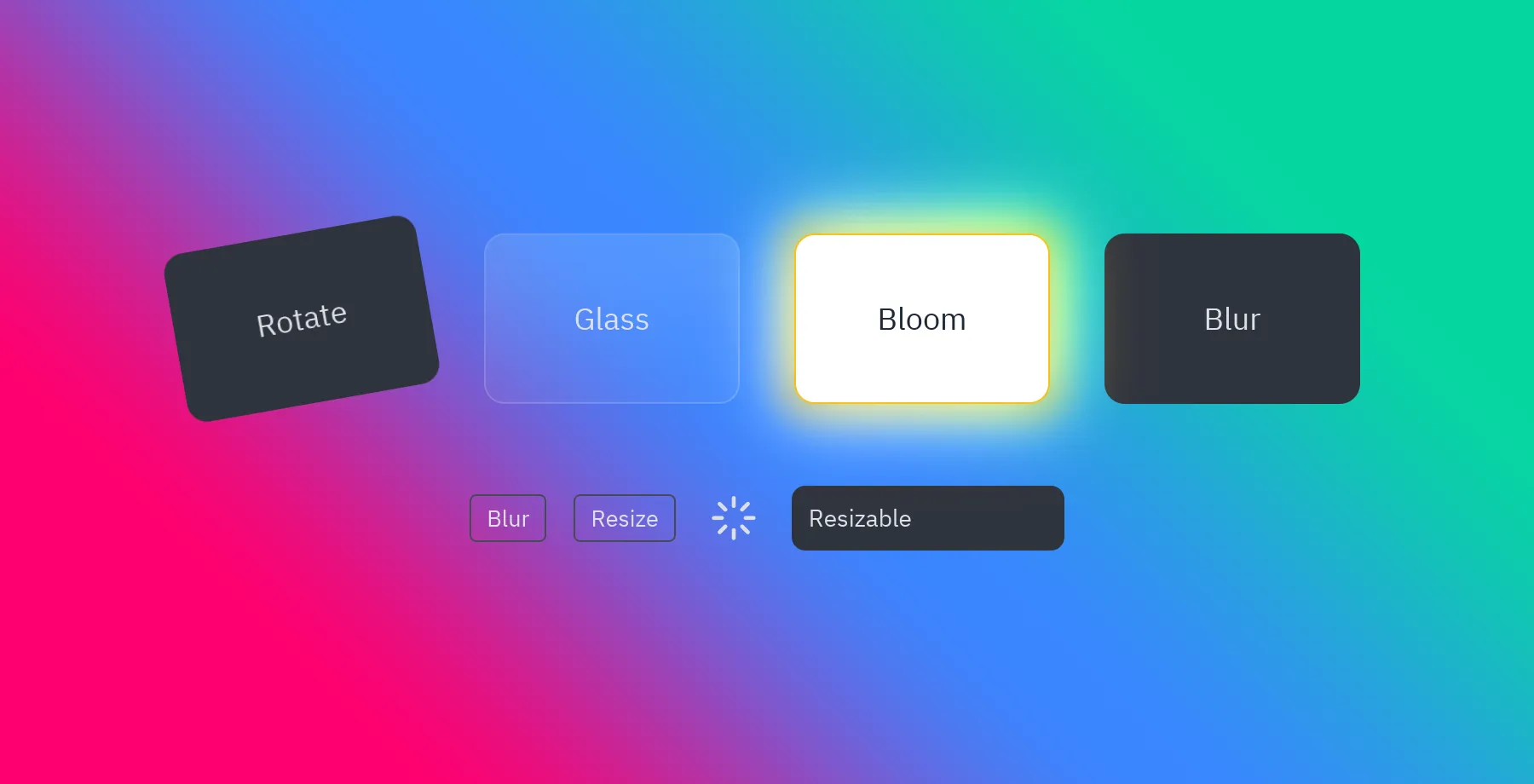
How they’re drawn
Section titled “How they’re drawn”Rotation, blur, backdrop blur and bloom are drawn by the renderer: the widget is drawn on its own layer, which is then turned, blurred or lit before it lands on the window.
- On a box (a widget with a background or glass), bloom also adds a soft halo and a lit edge; on a bare text or icon it only glows.
- Glass adds a tinted gradient, a border and a shadow; any of those you set yourself win. It shows best over a colorful background (a gradient or an image).
- The
glow,bloom,glow_pulseandglow_flashpresets animateglowandglow_color.