
Dialogs and tools
Dialogs
Section titled “Dialogs”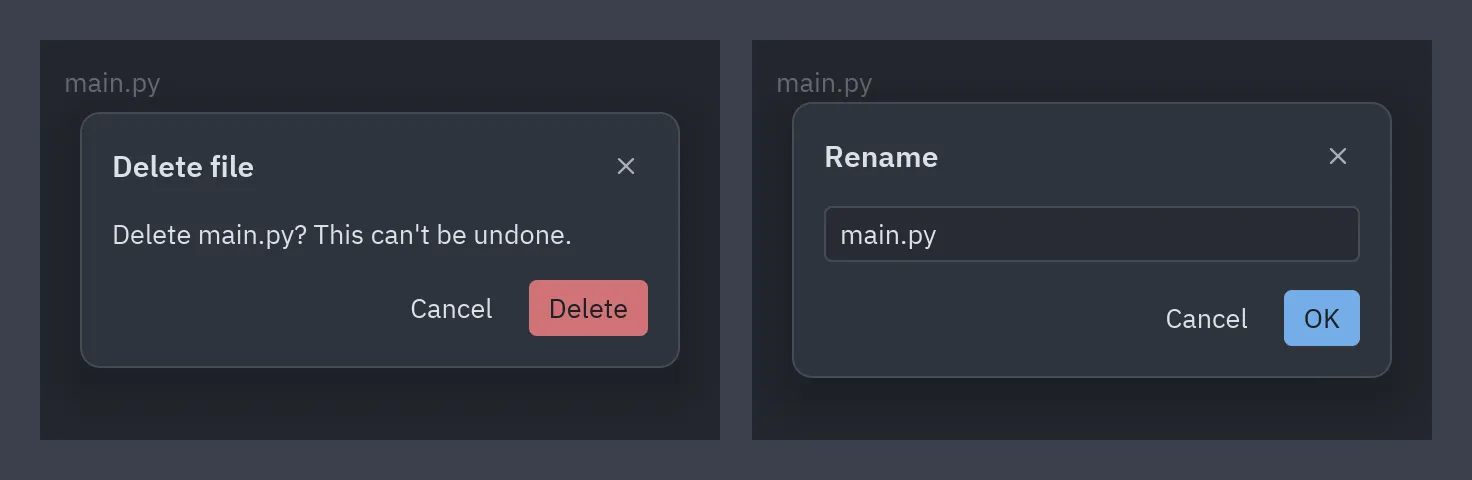
Keep which dialog is open in your state and wrap the view with ui.dialog_layer, which dims the
window, centers the dialog and calls on_dismiss when the backdrop is clicked. With dialog=None
it returns the view unchanged, so it can always wrap it.
class Files(pz.App):    def __init__(self):        self.asking = False        self.renaming = None
def view(self): dialog = None if self.asking: dialog = ui.confirm("Delete main.py? This can't be undone.", self.delete, self.close_dialog, title="Delete file", danger=True) elif self.renaming is not None: dialog = ui.prompt("Rename", self.renaming, self.set_name, self.rename, self.close_dialog) return ui.dialog_layer(self.main_view(), dialog, on_dismiss=self.close_dialog)| Dialog | What it does |
|---|---|
ui.alert(message, on_close, kind=) |
A message with one button; kind ("info", "success", "warning", "error") adds an icon. |
ui.confirm(message, on_confirm, on_cancel, danger=) |
A yes/no question; danger=True paints the confirm button red. |
ui.prompt(title, value, on_input, on_submit, on_cancel) |
Asks for a line of text; Enter or the button submits. |
ui.choice(message, [(label, on_press), ...], on_cancel) |
Your own buttons; the last one is the main one. |
ui.unsaved_changes(name, on_save, on_discard, on_cancel) |
“Save your changes before closing?” |
Button labels are translated with pyzed.i18n. For anything else,
ui.modal(content, title=, footer=[...]) is the same surface with your own content.
Accordion
Section titled “Accordion”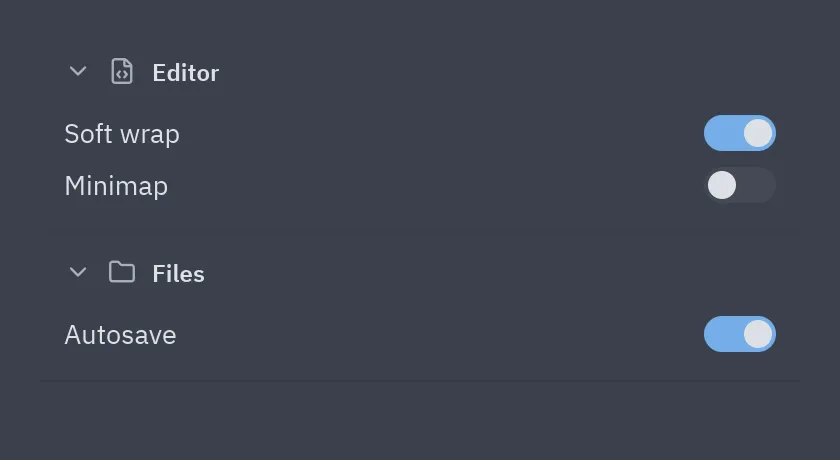
ui.accordion( [("editor", "Editor", editor_settings), ("files", "Files", file_settings), ("git", "Git", git_settings)], open=self.open_sections, # a set of ids, a {id: bool} dict or True on_toggle=lambda key: self.open_sections.symmetric_difference_update({key}), icons={"editor": "file-code", "files": "folder", "git": "git-branch"},)Sections can also be ui.AccordionSection(key, title, content, icon=, end=), where end adds
widgets to the right of the header. For a single collapsible block use
ui.disclosure.
Log console
Section titled “Log console”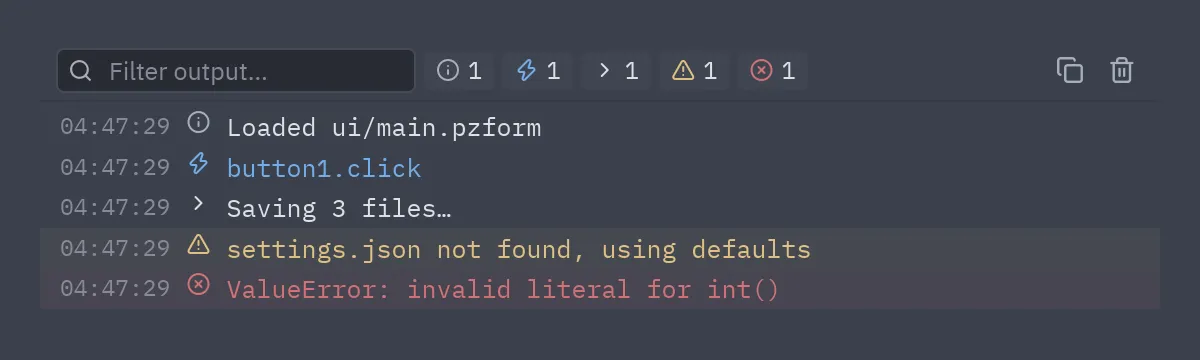
ui.Log collects entries (thread-safe, capped, repeated lines folded) and ui.console shows them
like a browser’s dev tools console: a filter box, one toggle per level with its count, copy and
clear.
self.log = ui.Log(on_write=lambda: pz.post("log"))   # redraw when a line arrivesself.log.write("warning", "settings.json not found, using defaults")self.log.capture()                                    # also collect print() and stderr
ui.console(self.log.entries, query=self.query, on_query=self.set_query,           hidden=self.hidden, on_toggle_level=self.toggle_level,           on_clear=self.log.clear, on_copy=lambda: pz.Command.copy(self.log.text()))
Levels are info, event, stdout, stderr, warning and error (ui.LOG_LEVELS).
Shortcuts and About
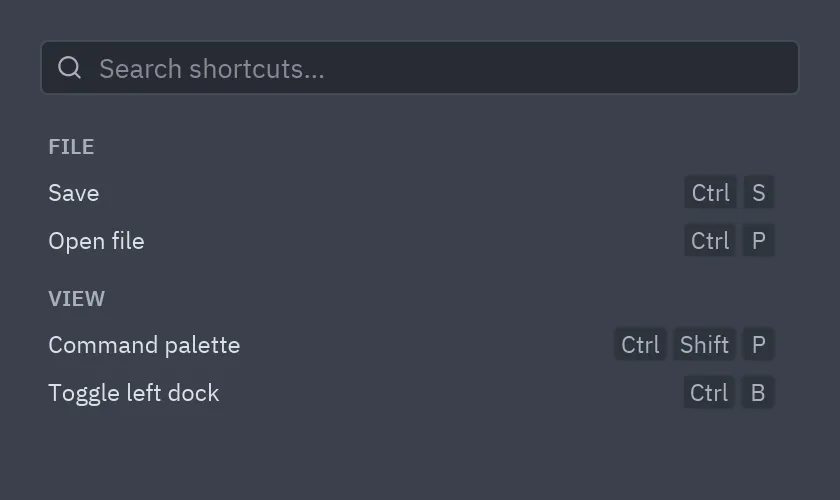
Section titled “Shortcuts and About”| Keyboard shortcuts | About box |
|---|---|
 |
 |
ui.shortcuts([("File", [("Save", "ctrl-s"), ("Open file", "ctrl-p")]),              ("View", [("Command palette", "ctrl-shift-p")])],             query=self.query, on_query=self.set_query)
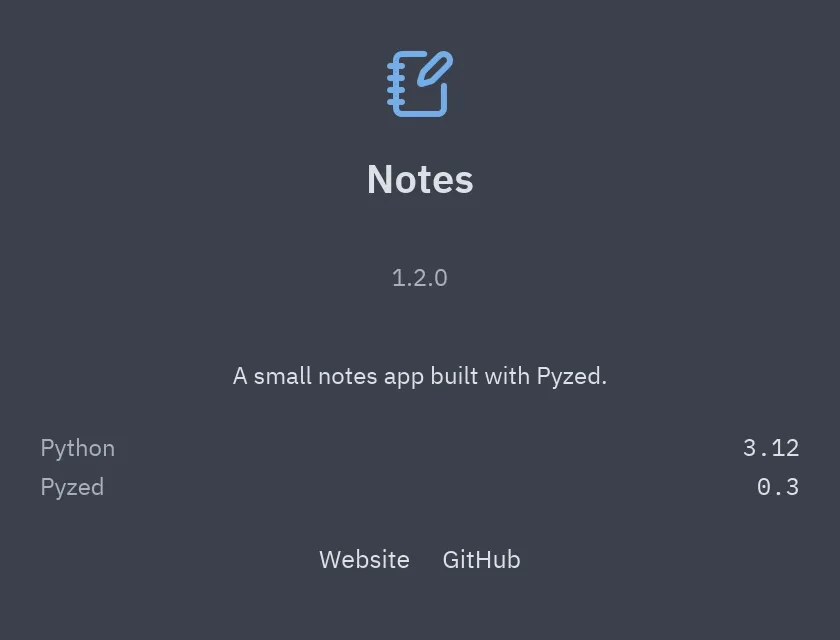
ui.about("Notes", "1.2.0", "A small notes app built with Pyzed.", icon="notebook-pen",         details=[("Python", "3.12")], links=[("Website", lambda: webbrowser.open(URL))])
Both fit well inside a ui.modal.
Color picker
Section titled “Color picker”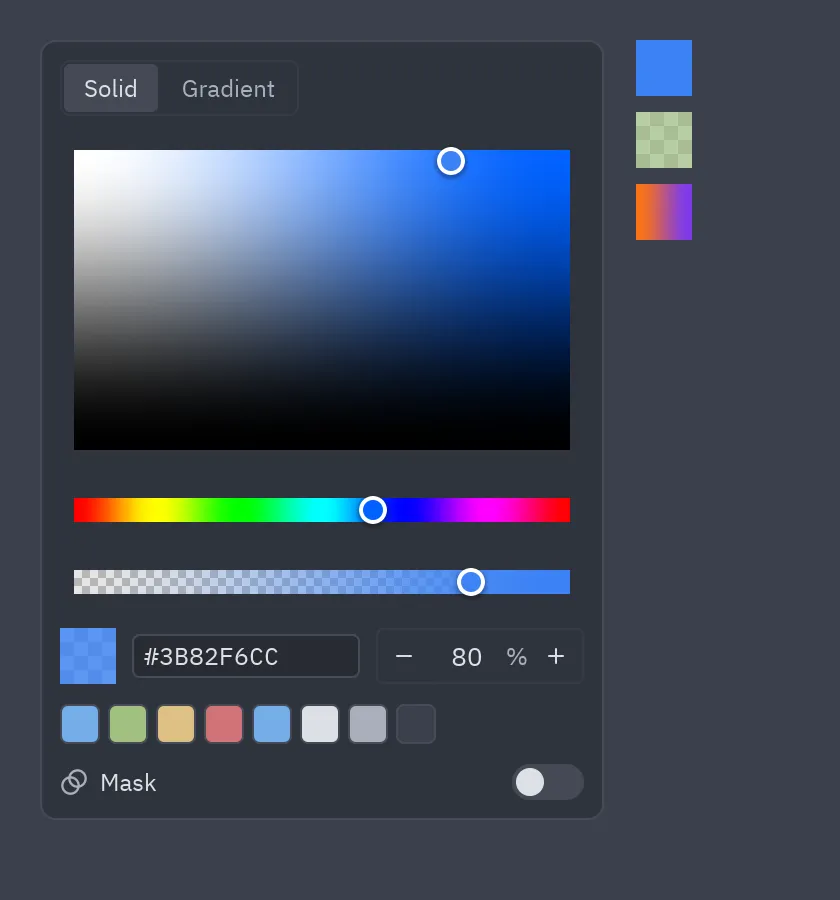
ui.ColorPicker(value=self.fill, on_change=lambda e: setattr(self, "fill", e.value))ui.color_swatch(self.fill, size=24, on_press=self.open_picker)ui.ColorPicker is a component: it picks a color with alpha, a linear gradient or a fill with an
opacity mask, and on_change receives a "#rrggbb[aa]" string, a pz.Gradient or a pz.Paint,
all valid as a background. ui.color_swatch shows any of them over a checkerboard. See
Styles.
Full reference: Dialogs, Console, errors and help and Color picker.