
Login
A two-column sign-in screen: a gradient brand panel with features and a testimonial on a translucent card, and a form with single sign-on, passkey, email and password, remember me and inline validation.
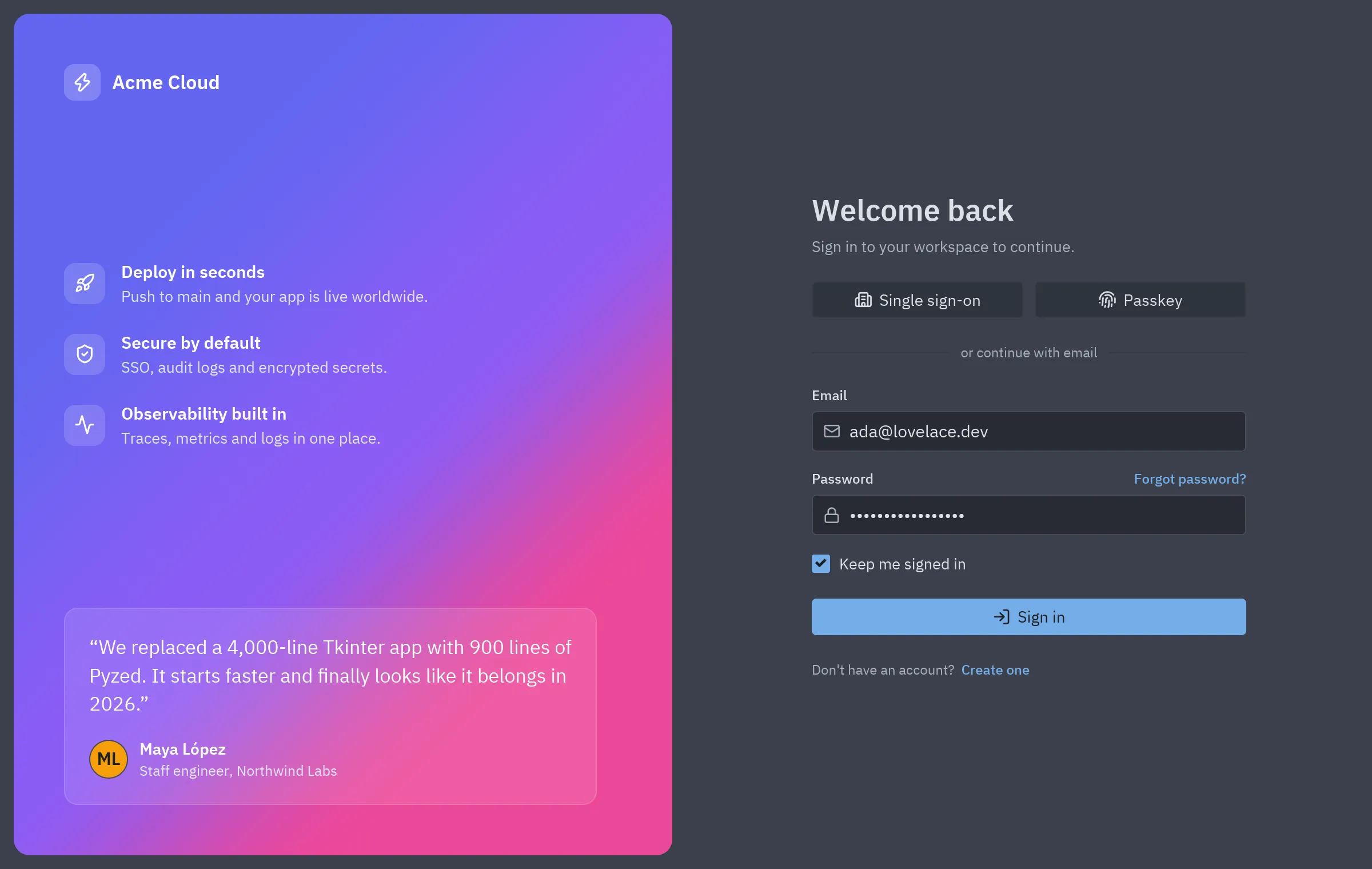
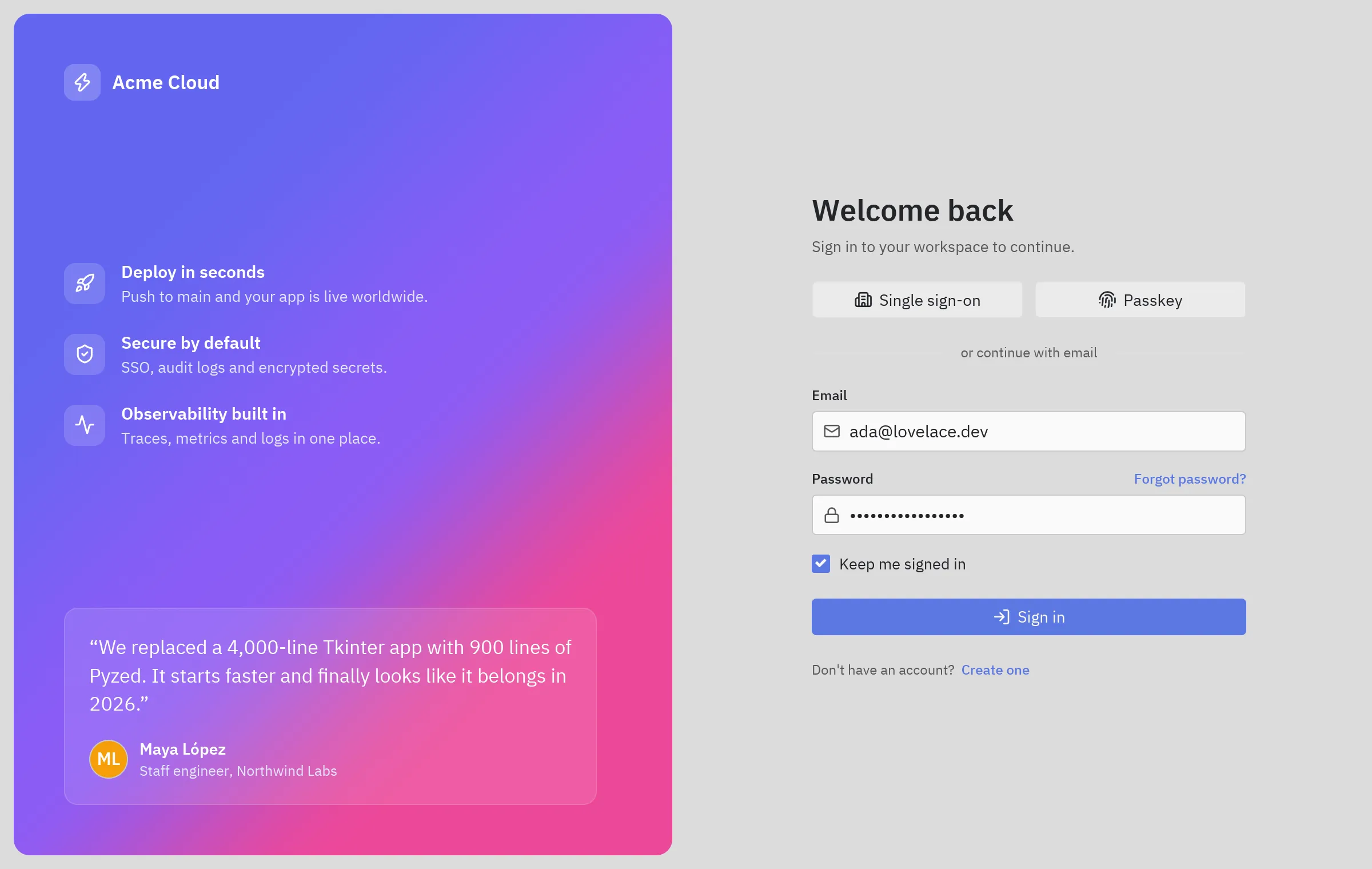
The screenshot follows the site’s theme: switch between light and dark at the top of the page to see the block in One Light and One Dark.
Run it
Section titled “Run it”From the repository root:
python examples/blocks/login.pyWhat it shows
Section titled “What it shows”- Gradient background with
pz.Gradientand a translucent glass-like card. - Validation on submit: a
ui.calloutshows the error, or the success. - Text links built with
.on(click=..., cursor="pointer"). - Enter in the password field signs in.
Components used
Section titled “Components used”| Component | Used for |
|---|---|
| Input | Email and password |
| Button | Sign in, SSO and passkey |
| Checkbox | Keep me signed in |
| Callout | Errors and success |
| Avatar | Testimonial author |
| Divider | The “or” separator |
| Heading | Title |
| Label | Labels and links |
The whole block, ready to copy. It only needs pip install pyzed-ui.
"""Login block: a split sign-in screen with a brand panel, single sign-on, passkey and an email form."""
import pyzed as pzfrom pyzed import ui
def link(text, action):    """A text that behaves like a link."""    return ui.label(text, color="accent", size="sm", weight="medium").on(click=action, cursor="pointer")

FEATURES = [    ("rocket", "Deploy in seconds", "Push to main and your app is live worldwide."),    ("shield-check", "Secure by default", "SSO, audit logs and encrypted secrets."),    ("activity", "Observability built in", "Traces, metrics and logs in one place."),]
BRAND = pz.Gradient([(0.0, "#6366f1"), (0.55, "#8b5cf6"), (1.0, "#ec4899")], angle=135)

class Login(pz.App):    title = "Sign in"    size = (1200, 760)
    def __init__(self):        self.email = "ada@lovelace.dev"        self.password = "analytical-engine"        self.remember = True        self.error = ""        self.signed_in = False
    # -- actions ---------------------------------------------------------------------------    def sign_in(self):        if "@" not in self.email:            self.error = "Enter a valid email address."        elif len(self.password) < 8:            self.error = "The password needs at least 8 characters."        else:            self.error, self.signed_in = "", True
    def forgot(self):        self.error = "" if "@" in self.email else "Enter your email first."
    def sign_up(self):        self.signed_in = False
    def set_email(self, value):        self.email, self.error = value, ""
    def set_password(self, value):        self.password, self.error = value, ""
    # -- view ------------------------------------------------------------------------------    def brand(self):        quote = pz.column([            pz.text("“We replaced a 4,000-line Tkinter app with 900 lines of Pyzed. "                    "It starts faster and finally looks like it belongs in 2026.”",                    size=17, color="#ffffff", line_height=1.45),            pz.row([                ui.avatar("ML", color="#f59e0b", size=34),                pz.column([pz.text("Maya López", size=14, weight="semibold", color="#ffffff"),                           pz.text("Staff engineer, Northwind Labs", size=12.5, color="#e0e7ff")], spacing=2),            ], spacing=10, align="center"),        ], spacing=18)        return pz.container(            pz.column([                pz.row([                    pz.container(pz.icon("zap", size=18, color="#ffffff"), padding=7, radius=9,                                 bg="#ffffff33"),                    pz.text("Acme Cloud", size=17, weight="semibold", color="#ffffff"),                ], spacing=10, align="center"),                pz.vspace(),                pz.column([self.feature(*f) for f in FEATURES], spacing=22),                pz.vspace(),                pz.container(quote, padding=22, radius=12, bg="#ffffff1c", border_color="#ffffff38",                             border_width=1),            ]),            width="fill", height="fill", padding=44,        ).style(background=BRAND, radius=14)
    def feature(self, icon, title, text):        return pz.row([            pz.container(pz.icon(icon, size=18, color="#ffffff"), padding=9, radius=10, bg="#ffffff26"),            pz.column([pz.text(title, size=15, weight="semibold", color="#ffffff"),                       pz.text(text, size=13.5, color="#e0e7ff")], spacing=3),        ], spacing=14, align="center")
    def form(self):        social = pz.row([            ui.button("Single sign-on", self.sign_in, icon="building-2", size="lg", full_width=True),            ui.button("Passkey", self.sign_in, icon="fingerprint", size="lg", full_width=True),        ], spacing=10)        separator = pz.row([ui.divider(), ui.muted("or continue with email", size="sm", wrap=False), ui.divider()],                           spacing=10, align="center")        password_label = pz.row([ui.label("Password", size="sm", weight="medium"), pz.hspace(),                                 link("Forgot password?", self.forgot)], align="center")        fields = pz.column([            pz.column([ui.label("Email", size="sm", weight="medium"),                       ui.input(self.email, self.set_email, placeholder="you@company.com", icon="mail",                                size="lg", id="email")], spacing=6),            pz.column([password_label,                       ui.input(self.password, self.set_password, placeholder="••••••••", icon="lock",                                size="lg", secure=True, on_submit=self.sign_in, id="password")], spacing=6),            ui.checkbox(self.remember, lambda v: setattr(self, "remember", v), label="Keep me signed in"),        ], spacing=16)        status = []        if self.error:            status = [ui.callout(self.error, tint="error", icon="circle-alert")]        elif self.signed_in:            status = [ui.callout("Signed in", f"Welcome back, {self.email}.", tint="success", icon="circle-check")]        return pz.container(            pz.column([                pz.column([ui.heading("Welcome back"),                           ui.muted("Sign in to your workspace to continue.")], spacing=6),                social,                separator,                fields,                *status,                ui.button("Sign in", self.sign_in, variant="solid", size="lg", full_width=True,                          icon="log-in"),                pz.row([ui.muted("Don't have an account?", size="sm"),                        link("Create one", self.sign_up)],                       spacing=6, align="center"),            ], spacing=22, max_width=380),            width="fill", height="fill", center=True, padding=32,        )
    def view(self):        return pz.row([            pz.container(self.brand(), width="fill", height="fill", padding=12),            self.form(),        ], height="fill").style(background="background")

if __name__ == "__main__":    pz.run(Login)
Make it yours
Section titled “Make it yours”Change theme (or self.theme = pz.themes.get("One Dark").with_accent("#e11d48")), replace the sample data with your own and split pieces into components when they grow. An AI agent with the MCP server can read this block with read_example("blocks/login") and adapt it for you.