
Overlays
Layers
Section titled “Layers”ui.layer(base, overlay, on_dismiss=...) draws overlay on top of the UI. Clicking outside
sends on_dismiss. If overlay is None, it returns base unchanged, so you can write:
def view(self):    layout = ui.workspace(...)    return ui.layer(layout, self.dialog(), on_dismiss=self.close, backdrop="#00000066")
def dialog(self): if not self.confirming: return None return ui.modal(...)align_x, align_y and offset control where the overlay appears (by default, centered at the
top, like a command palette).
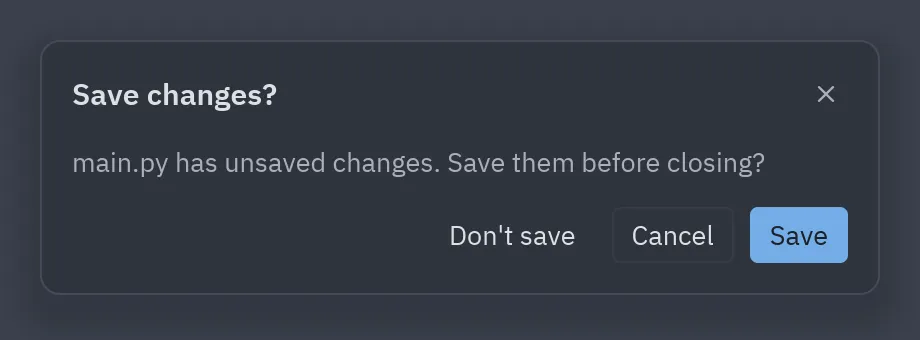
ui.modal( ui.muted("main.py has unsaved changes. Do you want to save them before closing?"), title="Save changes?", on_close=self.close, footer=[ ui.button("Don't save", self.discard, variant="ghost"), ui.button("Cancel", self.close), ui.button("Save", self.save, variant="solid"), ], width=420,)Command palette
Section titled “Command palette”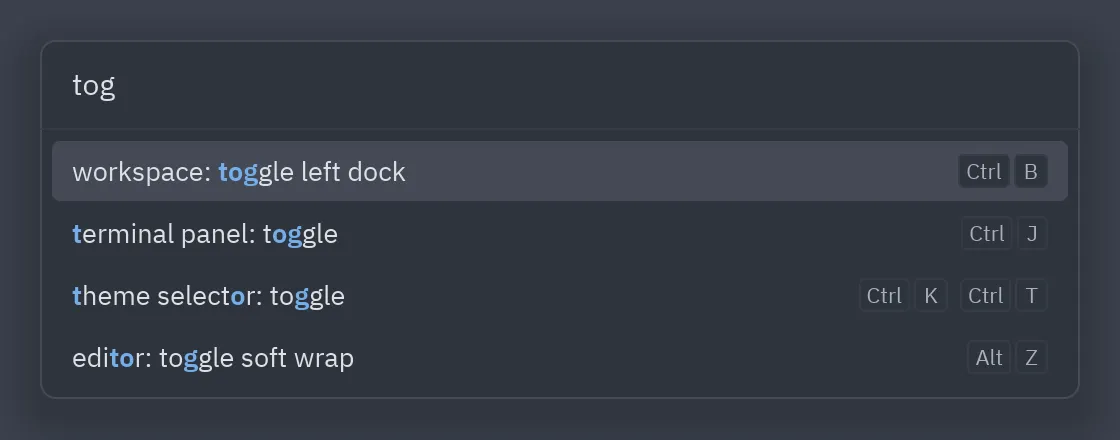
class App(pz.App):    def __init__(self):        self.palette_open = False        self.query = ""        self.selected = 0
    def commands(self):        return [            ui.PaletteItem("editor: toggle soft wrap", self.toggle_wrap, keys="alt-z"),            ui.PaletteItem("theme selector: toggle", self.toggle_theme, keys="ctrl-k ctrl-t"),            ui.PaletteItem("workspace: toggle left dock", self.toggle_left, keys="ctrl-b"),        ]
    def on_key(self, combo):        if combo == "ctrl-shift-p":            self.palette_open, self.query, self.selected = True, "", 0            return Command.focus("command-palette")        if self.palette_open and combo == "escape":            self.palette_open = False        elif self.palette_open and combo in ("up", "down"):            self.selected += 1 if combo == "down" else -1
    def run_selected(self):        matches = ui.fuzzy_filter(self.query, self.commands(), key=lambda c: c.label)        if matches:            self.palette_open = False            command = matches[self.selected % len(matches)][0]            return command.on_press()
    def view(self):        layout = ...        palette = None        if self.palette_open:            palette = ui.command_palette(self.query, lambda q: setattr(self, "query", q), self.commands(),                                         selected=self.selected, on_submit=self.run_selected)        return ui.layer(layout, palette, on_dismiss=lambda: setattr(self, "palette_open", False))
Enter (on_submit) runs the highlighted command; the arrow keys change selected.
Picker and fuzzy search
Section titled “Picker and fuzzy search”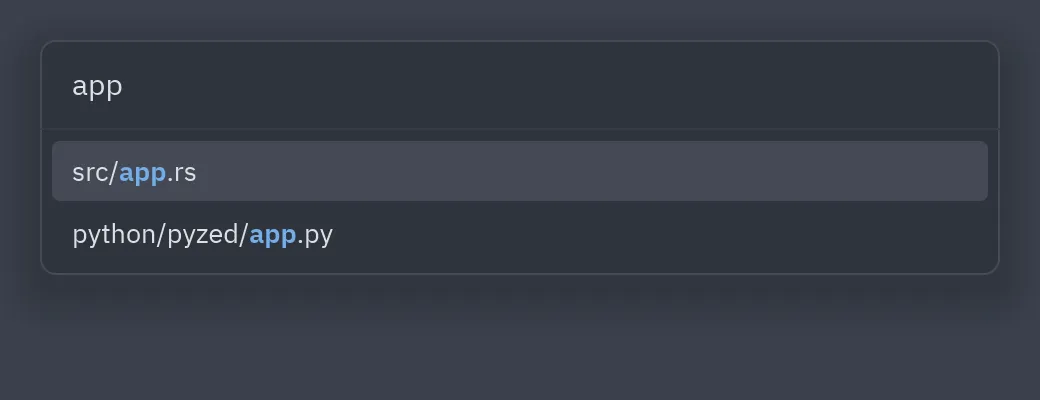
command_palette is built on top of picker and fuzzy_filter. Use them for your own
finders (files, symbols, branches…):
matches = ui.fuzzy_filter(self.query, self.files) # [(file, positions), ...]items = [(ui.PaletteItem(Path(f).name, lambda f=f: self.open(f), icon="file", detail=f), pos) for f, pos in matches[:50]]ui.picker(self.query, self.set_query, items, selected=self.sel, placeholder="Search files…")fuzzy_match(query, text) returns (score, positions) or None, and highlighted()
draws a text with the matches highlighted.
Notifications
Section titled “Notifications”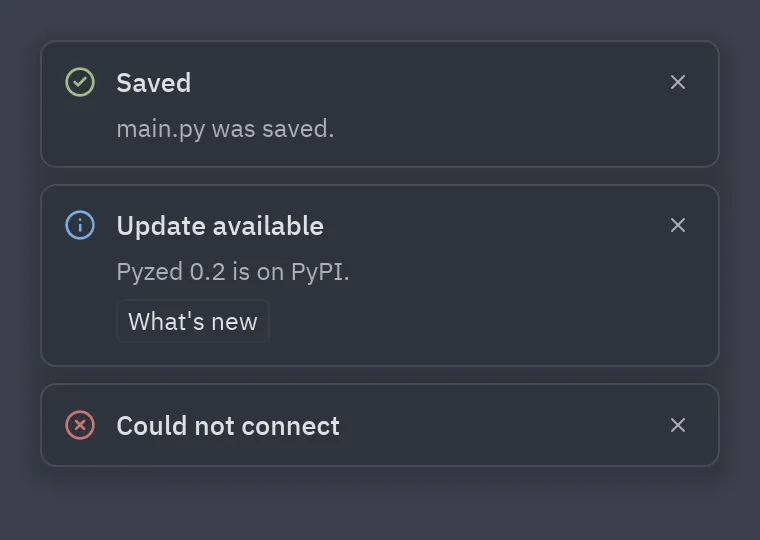
ui.toast("Saved", "main.py was saved successfully.", kind="success", on_dismiss=self.dismiss_toast)ui.toast("Update available", "Pyzed 0.2 is now on PyPI.", kind="info", actions=[ui.button("What's new", self.whats_new, size="sm")])ui.toasts(base, items) stacks them in the bottom-right corner. To make them disappear on their
own, use a thread and pz.post:
def notify(self, title): self.toasts.append(title) threading.Timer(3, pz.post, args=(("remove_toast", title),)).start()Full reference: Overlays.