
Built-in reference
Like Godot’s, Pyzed Design carries its own documentation: every form control, every function and class of the library and every component of your project, with signatures, parameters, properties, events and examples. It works offline and in the editor’s language.
Opening it
Section titled “Opening it”| How | Opens |
|---|---|
| Shift+F1 with a control selected | The page of that control’s kind (Button, Table…). |
| Shift+F1 in the code editor | The page of the name under the cursor: form.email.text opens Text box, ui.button and pz.text open their library pages. With no page for it, the name is searched. |
| The book button in the Properties and Events headers | The page of the selected control. |
| Help in a control’s context menu | The page of that control. |
| Help → Reference | The reference, where you left it. |
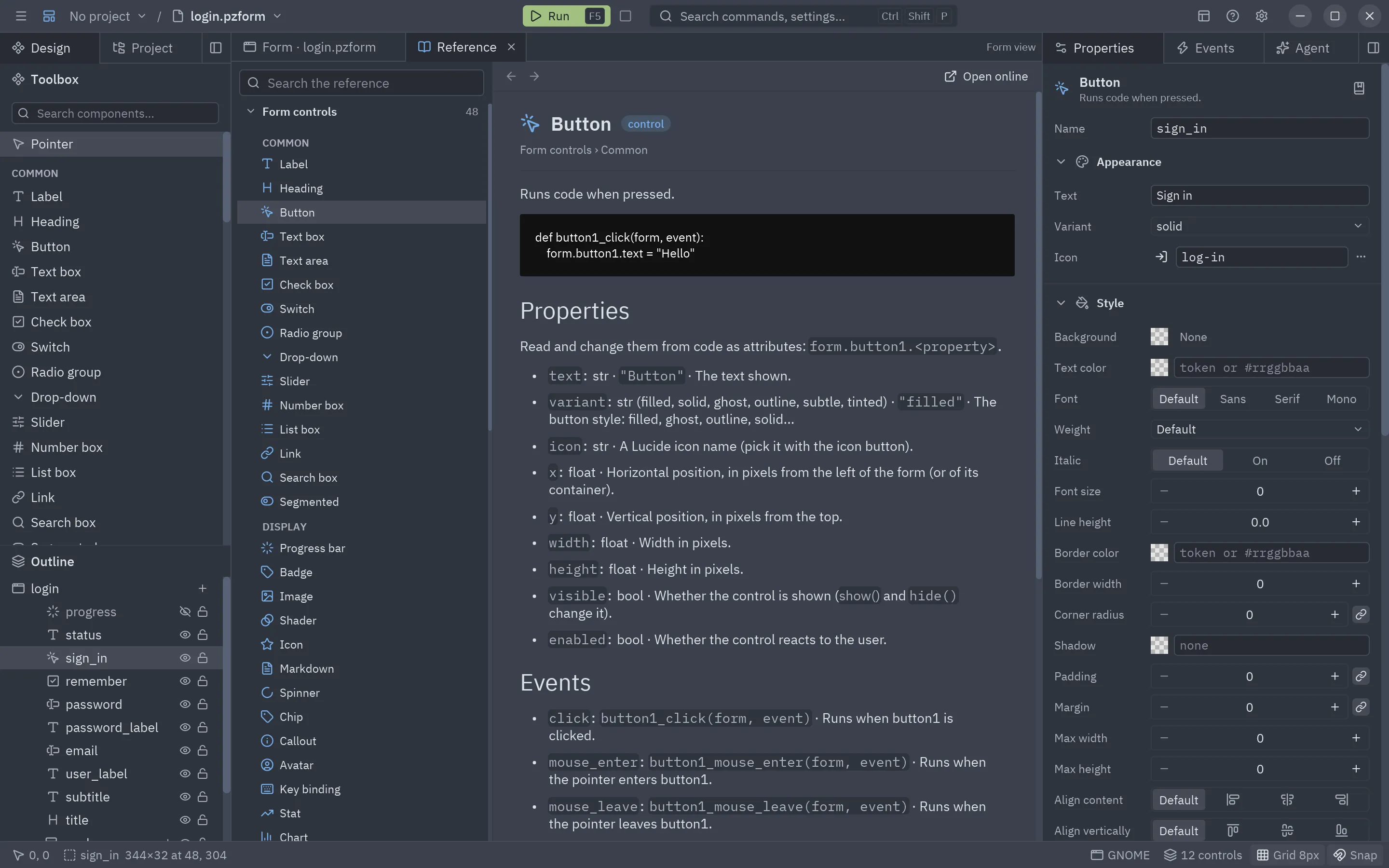
The reference opens as a Reference tab next to your documents. Close it like any tab; it remembers the page, the search and the history.
Finding a page
Section titled “Finding a page”The left column is the class list, in sections:
| Section | Pages |
|---|---|
| Form controls | Every toolbox control, in toolbox order: description, an example handler, its properties (with type and default), its events (with the handler name) and the methods every control has. |
| Form code | How a form’s code works: the form object, a control from code (ControlProxy) and the event a handler receives. |
| App and running, Widgets, Components (pyzed.ui)… | The library, one section per page of the API reference, with live signatures. |
| Your components | Every pz.Component subclass of your project, with its props, state, events and methods taken from your code and docstrings. |
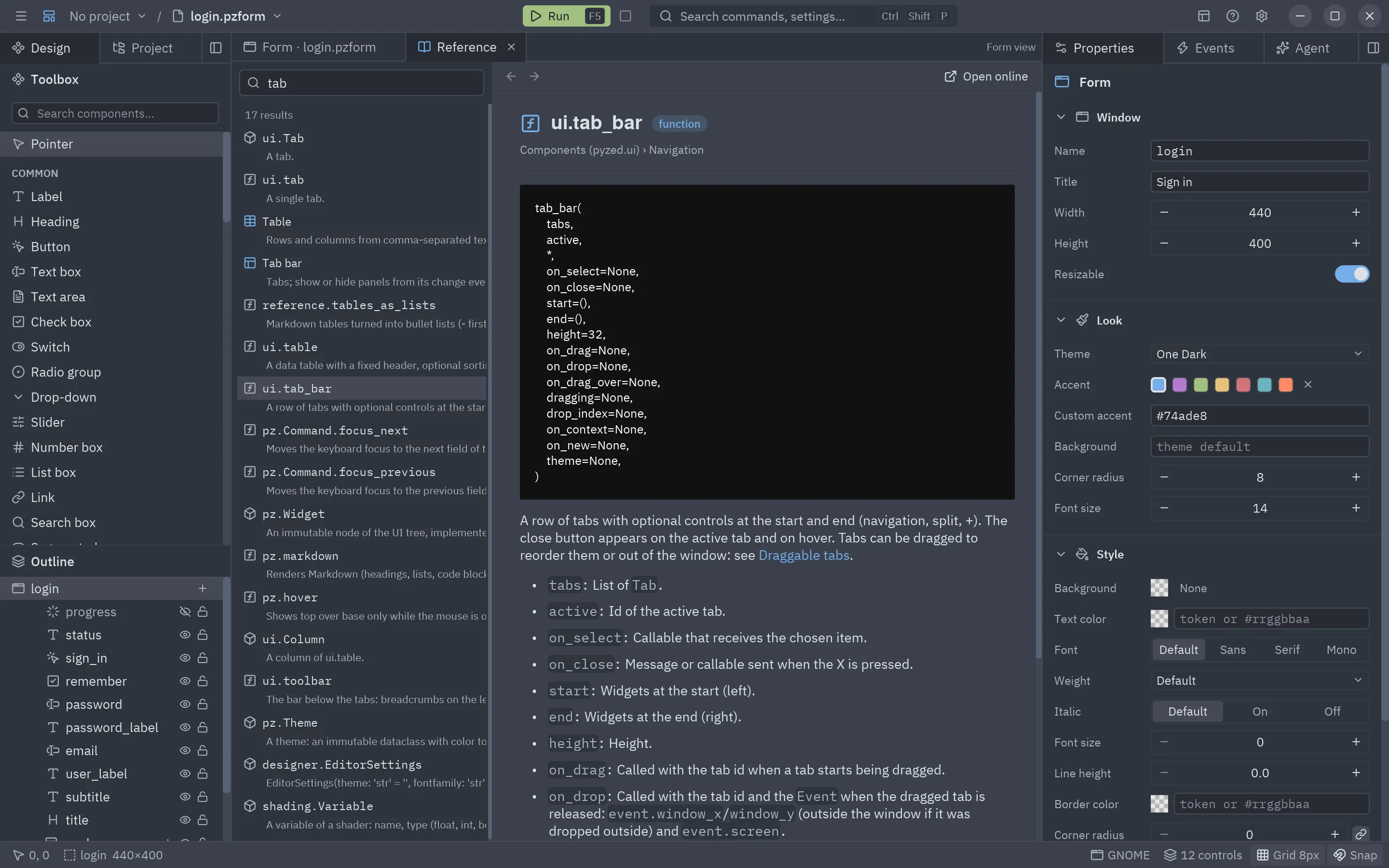
Click a section to fold it. Type in Search the reference to filter everything: exact names come first, every
word must match (tab bar finds ui.tab_bar), and each result shows its first sentence.
Reading a page
Section titled “Reading a page”- The header shows the page’s icon, its name, its kind (control, function, class…) and where it is in the list.
- Links to other names open their page inside the reference; the ← and → buttons go back and forward.
- Open online opens the same page on this website.
- Library descriptions come from the same source as the website, and signatures and members are read from the installed code, so the reference always matches the version you run.
Documenting your own components
Section titled “Documenting your own components”Write docstrings: the class docstring becomes the page’s description, pz.state(..., doc="…") describes a state
variable, and the docstrings of public methods describe them. The page updates as soon as the code is loaded
again (hot reload included).
class Counter(pz.Component):    """A number with + and − buttons."""
    step: int = 1    value = pz.state(0, doc="The current count.")
    def reset(self):        """Puts the count back to zero."""        self.value = 0
In your own apps
Section titled “In your own apps”The reference is part of the library, not only the editor, so you can ship it inside your app, test it, or add your own sections:
import pyzed as pzfrom pyzed import reference, ui

class Docs(pz.App):    def __init__(self):        self.help = reference.Browser("pyzed.ui.button")
    def view(self):        return ui.reference_browser(self.help, on_open_url=print)

reference.search("tab bar")[0].id   # "pyzed.ui.tab_bar"reference.lookup("ui.button")       # "pyzed.ui.button"reference.page("pyzed.text").body   # Markdown
reference.register(reference.Provider(...)) adds a section of your own (your app’s help, a plugin’s API). See
Built-in reference and
ui.reference_browser in the API reference.