
Noise and patterns
Every example on this page runs after these two lines, and ends by sending a color to the Output node:
from pyzed import shading
g = shading.Graph("demo")
Noise gives values between 0 and 1 that look random but change smoothly: the base of clouds, fire, water, marble and terrain.
noise · Noise · g.noise(...)
Smooth random values from 0 to 1 (value, Perlin or simplex noise).
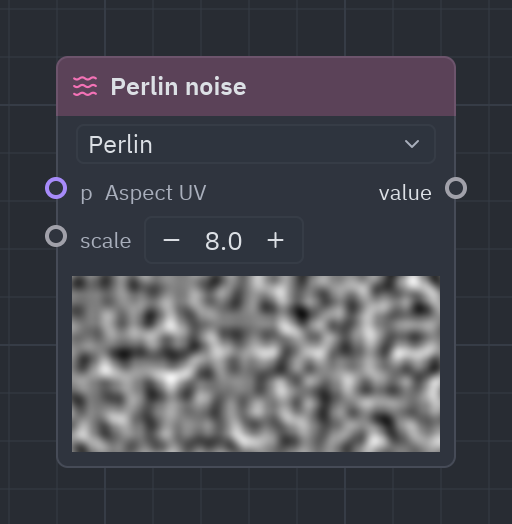
Smooth randomness from 0 to 1. Perlin is the classic, simplex looks more natural, value is blockier and cheaper. scale is how many bumps fit across.
| Input | Type | Default |
|---|---|---|
p |
vec2 |
Aspect UV (context) |
scale |
float |
8 |
| Output | Type |
|---|---|
value |
float |
| Setting | Values | Default |
|---|---|---|
kind |
value, perlin, simplex |
perlin |
Sidebar entries
| Entry | What it does | In Python |
|---|---|---|
| Noise | Smooth random values from 0 to 1 (value, Perlin or simplex noise). | g.noise(...) |
| Value noise | Blocky smooth noise from 0 to 1. | g.value_noise(...) |
| Simplex noise | Simplex noise from 0 to 1. | g.simplex_noise(...) |
n = g.noise(scale=5.0, kind="simplex")g.output(g.rgba(n, 1.0))Fractal noise
Section titled “Fractal noise”fbm · Noise · g.fbm(...)
Layers of noise, each finer and fainter (fBm): clouds, smoke, fire, terrain.
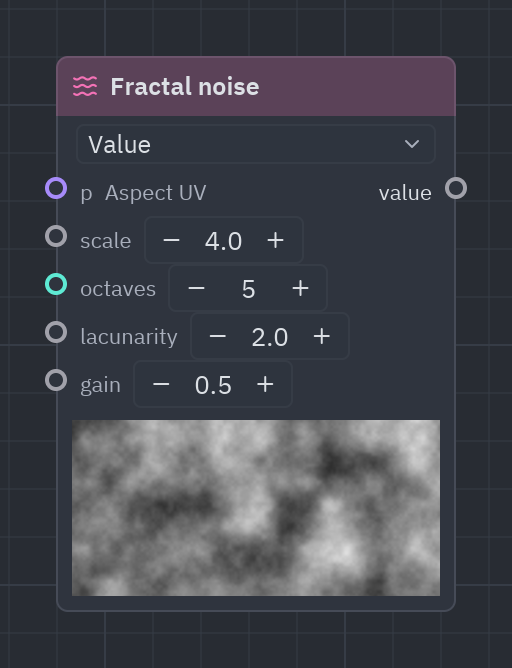
Several layers of noise, each finer and fainter: the look of clouds, smoke and mountains. More octaves add detail (and cost).
| Input | Type | Default |
|---|---|---|
p |
vec2 |
Aspect UV (context) |
scale |
float |
4 |
octaves |
int |
5 |
lacunarity |
float |
2 |
gain |
float |
0.5 |
| Output | Type |
|---|---|
value |
float |
| Setting | Values | Default |
|---|---|---|
kind |
value, perlin, simplex |
value |
n = g.fbm(scale=3.0, octaves=6)g.output(g.gradient(n))Voronoi
Section titled “Voronoi”voronoi · Noise · g.voronoi(...)
Cells around random points: the distance to the nearest point and the second nearest, to the nearest edge, and a random number per cell. Phase moves the points.
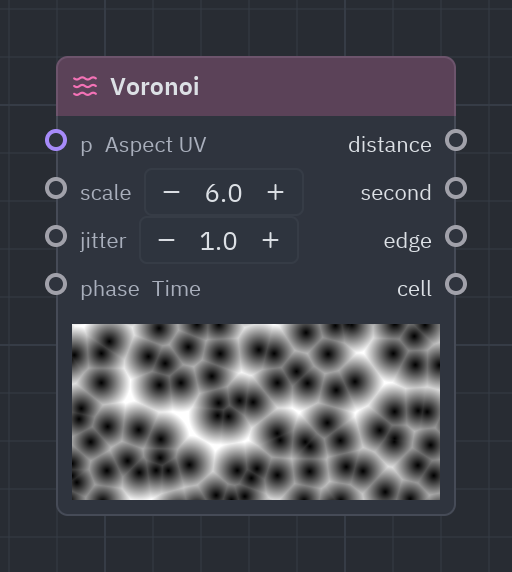
Cells around random points, like cracked mud, crystals or giraffe skin. edge is small near the borders, cell is a random number per cell (great for a color each). phase moves the points.
| Input | Type | Default |
|---|---|---|
p |
vec2 |
Aspect UV (context) |
scale |
float |
6 |
jitter |
float |
1 |
phase |
float |
Time (context) |
| Output | Type |
|---|---|
distance |
float |
second |
float |
edge |
float |
cell |
float |
v = g.voronoi(scale=6.0)color = g.palette(v["cell"])g.output(g.rgba(color * g.smoothstep(0.0, 0.05, v["edge"]), 1.0))White noise
Section titled “White noise”white_noise · Noise · g.white_noise(...)
A different random number from 0 to 1 for every value of p.
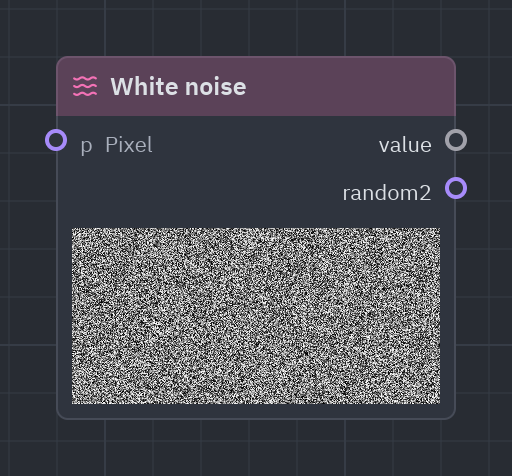
A different random number for each input value, with no smoothness: TV static, sparkles, dithering.
| Input | Type | Default |
|---|---|---|
p |
vec2 |
Pixel (context) |
| Output | Type |
|---|---|
value |
float |
random2 |
vec2 |
n = g.white_noise()g.output(g.rgba(n, 1.0))Random
Section titled “Random”random · Noise · g.random(...)
A random number from 0 to 1 for a seed (the same seed, the same number).
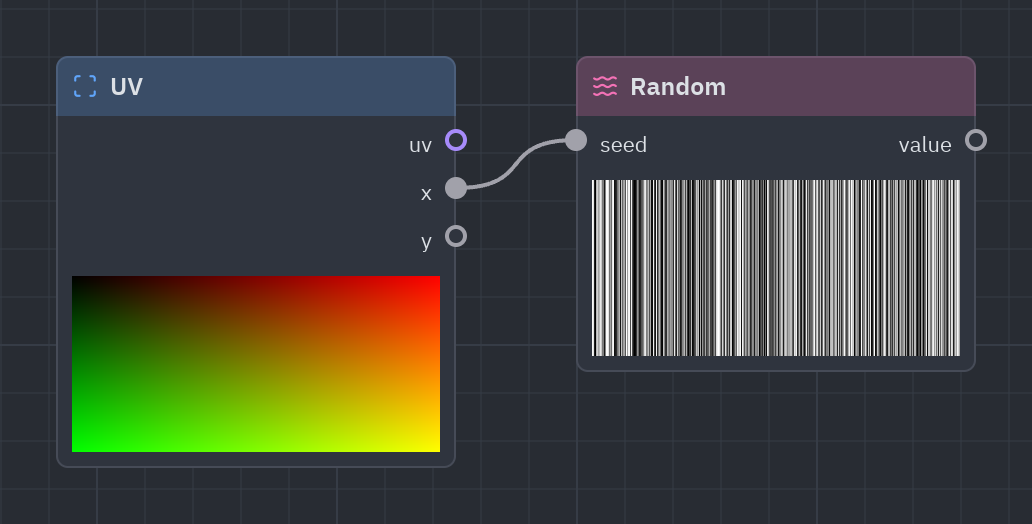
A random number for a seed: the same seed always gives the same number. Feed it a cell number to give each cell its own value.
| Input | Type | Default |
|---|---|---|
seed |
float |
1 |
| Output | Type |
|---|---|
value |
float |
r = g.repeat(cell=[0.2, 0.2])v = g.random(r["cell"].x * 7.0 + r["cell"].y)g.output(g.rgba(v, 1.0))Patterns
Section titled “Patterns”Regular patterns, mostly 0 or 1 (black or white). Multiply a color by them, or use them as the t of a Mix or a Gradient.
Checker
Section titled “Checker”checker · Patterns · g.checker(...)
A checkerboard of 0 and 1.
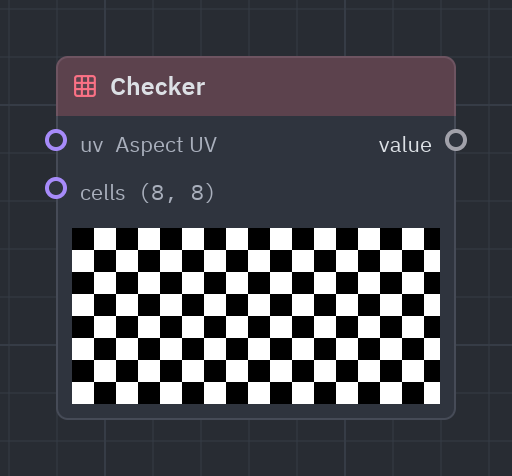
A checkerboard: 0 and 1 in alternating squares.
| Input | Type | Default |
|---|---|---|
uv |
vec2 |
Aspect UV (context) |
cells |
vec2 |
(8, 8) |
| Output | Type |
|---|---|
value |
float |
c = g.checker(cells=[8.0, 8.0])g.output(g.rgba(g.mix(0.2, 0.9, c), 1.0))Stripes
Section titled “Stripes”stripes · Patterns · g.stripes(...)
Parallel stripes of 0 and 1 (angle in radians, width from 0 to 1).
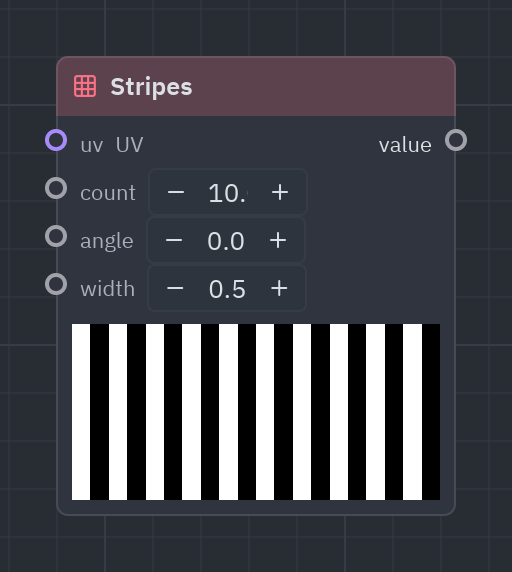
Parallel stripes at any angle; width is how much of each stripe is white.
| Input | Type | Default |
|---|---|---|
uv |
vec2 |
UV (context) |
count |
float |
10 |
angle |
float |
0 |
width |
float |
0.5 |
| Output | Type |
|---|---|
value |
float |
s = g.stripes(count=12.0, angle=0.785)g.output(g.rgba(s, 1.0))grid · Patterns · g.grid(...)
Grid lines: 1 on the lines, 0 between them (thickness from 0 to 1 of a cell).
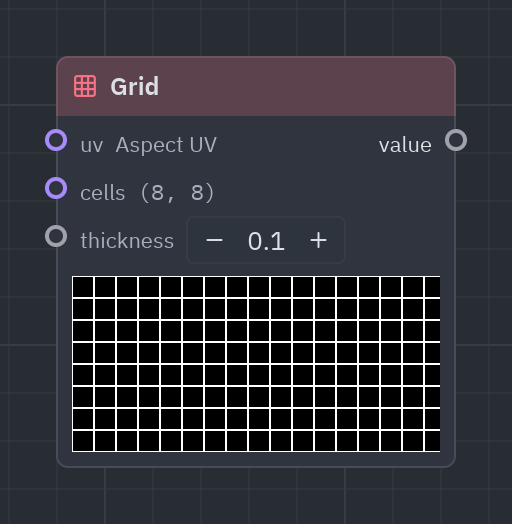
Thin grid lines: graph paper, blueprints and synthwave floors.
| Input | Type | Default |
|---|---|---|
uv |
vec2 |
Aspect UV (context) |
cells |
vec2 |
(8, 8) |
thickness |
float |
0.06 |
| Output | Type |
|---|---|
value |
float |
l = g.grid(cells=[10.0, 10.0], thickness=0.05)g.output(g.rgba(g.mix([0.05, 0.05, 0.15], [0.2, 0.8, 1.0], l), 1.0))dots · Patterns · g.dots(...)
A grid of round dots: 1 inside, 0 outside (radius from 0 to 0.5 of a cell).
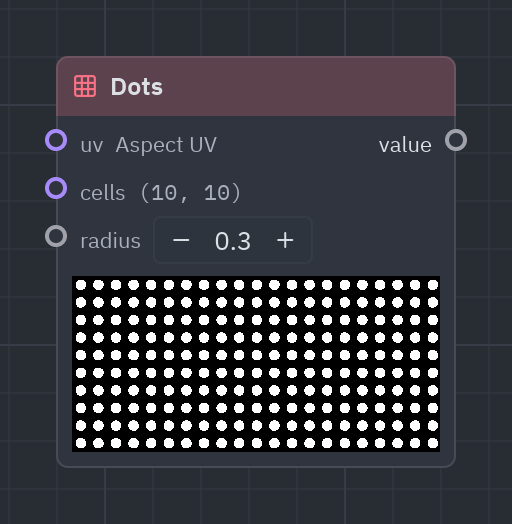
A grid of round dots: polka dots and halftone looks.
| Input | Type | Default |
|---|---|---|
uv |
vec2 |
Aspect UV (context) |
cells |
vec2 |
(10, 10) |
radius |
float |
0.3 |
| Output | Type |
|---|---|
value |
float |
d = g.dots(cells=[12.0, 12.0], radius=0.25)g.output(g.rgba(d, 1.0))Linear gradient
Section titled “Linear gradient”linear_gradient · Patterns · g.linear_gradient(...)
0 to 1 across the area in a direction (angle in radians).
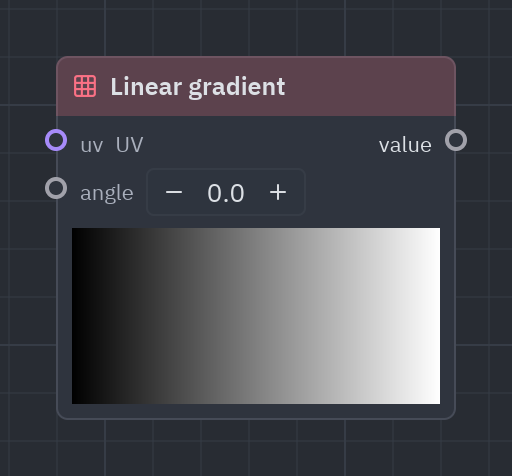
0 to 1 across the area in a direction (angle in radians, 0 is left to right).
| Input | Type | Default |
|---|---|---|
uv |
vec2 |
UV (context) |
angle |
float |
0 |
| Output | Type |
|---|---|
value |
float |
t = g.linear_gradient(angle=1.57)g.output(g.gradient(t))Radial gradient
Section titled “Radial gradient”radial_gradient · Patterns · g.radial_gradient(...)
1 at center, fading to 0 at radius (aspect kept).
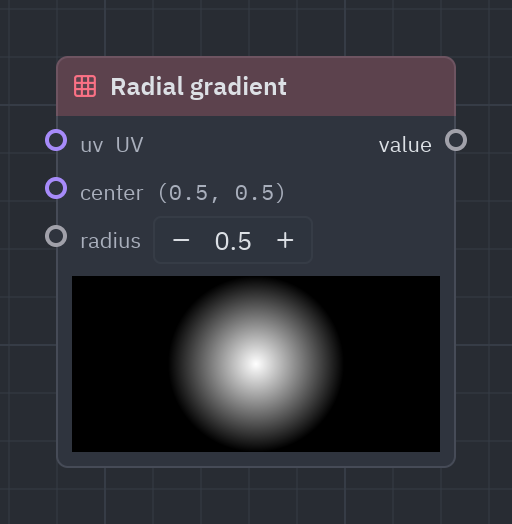
1 in the center fading to 0 at radius: spotlights, soft glows and vignettes.
| Input | Type | Default |
|---|---|---|
uv |
vec2 |
UV (context) |
center |
vec2 |
(0.5, 0.5) |
radius |
float |
0.5 |
| Output | Type |
|---|---|
value |
float |
r = g.radial_gradient(radius=0.5)g.output(g.rgba(g.compose(r, r * 0.6, 0.2), 1.0))wave · Patterns · g.wave(...)
A repeating wave from 0 to 1 (sine, triangle, square or sawtooth): frequency waves per unit of x.
A repeating wave from 0 to 1 in four shapes: sine (smooth), triangle, square (on/off, blinking) and sawtooth (ramp). With the default x (time) it animates; wire a UV coordinate to get bands.
| Input | Type | Default |
|---|---|---|
x |
float |
Time (context) |
frequency |
float |
1 |
phase |
float |
0 |
| Output | Type |
|---|---|
value |
float |
| Setting | Values | Default |
|---|---|---|
shape |
sine, triangle, square, sawtooth |
sine |
Sidebar entries
| Entry | What it does | In Python |
|---|---|---|
| Wave | A repeating wave from 0 to 1 (sine, triangle, square or sawtooth): frequency waves per unit of x. | g.wave(...) |
| Square wave | On and off: 0 or 1, repeating. | g.square_wave(...) |
| Sawtooth wave | Ramps from 0 to 1 and starts again. | g.sawtooth_wave(...) |
w = g.wave(g.uv()["x"], frequency=6.0, shape="triangle")g.output(g.rgba(w, 1.0))See also: Getting started · The Shader view · Recipes · Shader graphs in Python