State
Every value on screen lives somewhere. Pick the place by who needs it and how long it must last:
| Value | Where | Lasts |
|---|---|---|
| a text being typed, an open menu | pz.state in the component |
while the component is shown |
| a filter, a tab, a page number | the address (?sort=price) |
in the history, and in links |
| what a page shows from the server | load → data |
cached, refreshed after changes |
| the sidebar collapsed, a scroll | pz.state in a layout.py |
while you stay below that layout |
| a team, a project shared by a subtree | provide + pz.use_context |
while that layout is shown |
| the session, the cart, preferences | a pz.Store |
the whole run (or between runs with persist) |
| a change being saved | pz.action (pending, error) |
until the next call |
Component state
Section titled “Component state”class Search(pz.Component): text = pz.state("")
def render(self): return ui.input(self.text, on_input=lambda v: setattr(self, "text", v))Changing self.text draws the component again. The state of a page component starts over when
its params change, and that of a layout stays while you navigate below it
(Pages, layouts and templates).
The address as state
Section titled “The address as state”What the user should be able to come back to belongs in the query: the back button returns to it and a link or a notification can open the page there.
def page(query, router):    sort = query.get("sort", "name")    return ui.segmented(["name", "price"], sort, lambda v: router.replace(f"?sort={v}"))

async def load(query):              # the query is part of the cache key    return await api.products(sort=query.get("sort", "name"))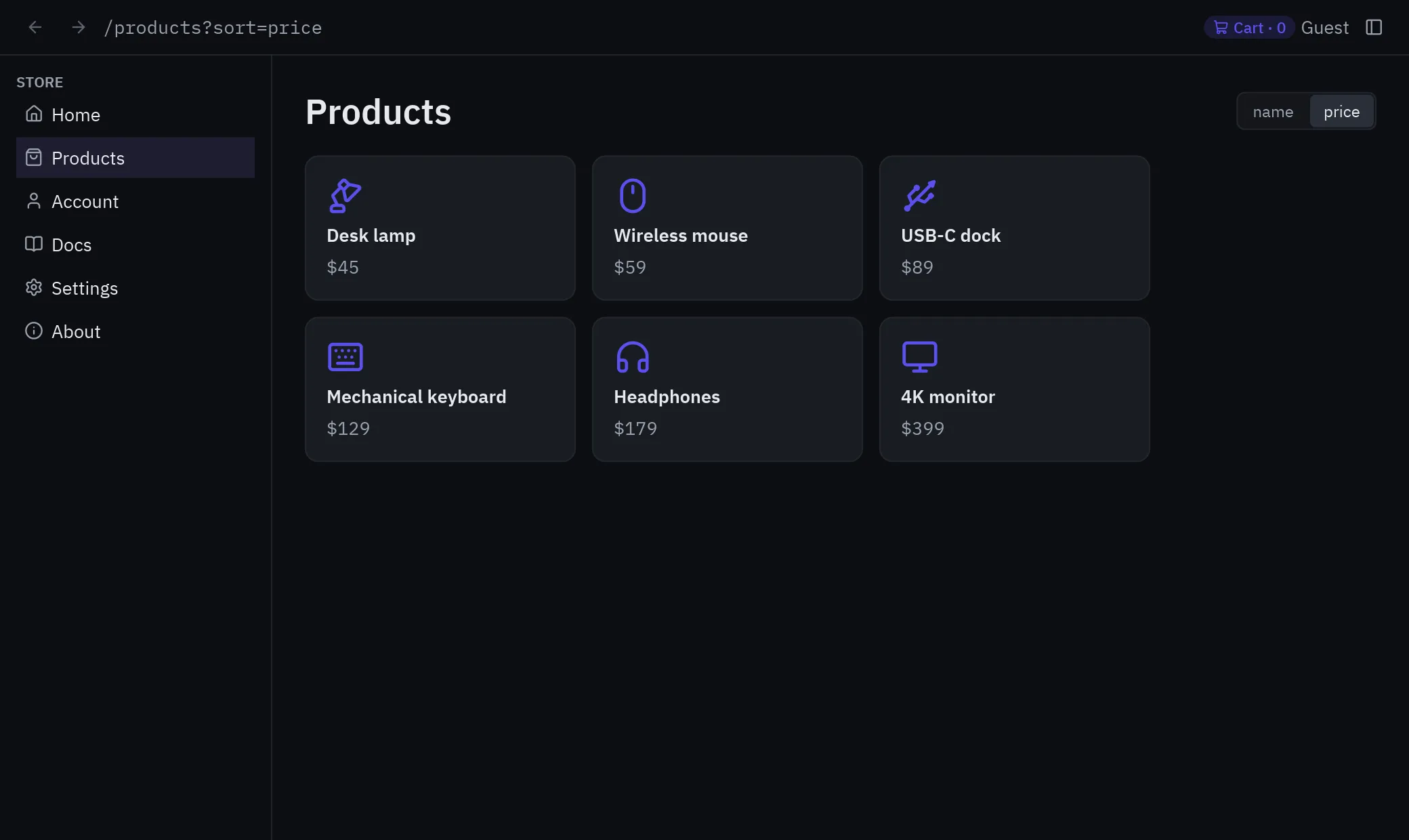
Global state: pz.Store
Section titled “Global state: pz.Store”A store holds what many pages share. Write a class with its fields, make one instance in a
module next to app/, and import it anywhere:
import pyzed as pz

class Cart(pz.Store):    items: list = []                 # each instance gets its own copy of the default    coupon: str = ""
    @property    def count(self):                 # derived values are properties        return len(self.items)
    def add(self, product_id):       # changes are methods        self.items = [*self.items, product_id]

cart = Cart()from state import cart
def layout(children): return pz.column([header(badge=cart.count), *children])Only what read the store draws again. Pyzed notes which stores each render() read, so
adding to the cart redraws the header’s badge and leaves the rest of the window as it was. A
change made on another thread (a load, an action, a timer) redraws the window too.
| Call | Does |
|---|---|
cart.items = [...] |
sets a field; readers draw again |
cart.update(items=[], coupon="") |
sets several, one notification |
with cart.batch(): ... |
groups changes into one |
cart.changed() |
after changing a list or dict in place (cart.items.append(x)) |
cart.subscribe(callback) |
callback(cart) after each change; returns a function that stops it |
cart.reset() |
back to the defaults |
cart.to_dict() |
the values, as a dict |
def setup(self) |
runs once the values are set (open a connection, start a timer) |
Keeping it between runs
Section titled “Keeping it between runs”class Preferences(pz.Store): persist = "preferences" # saved as JSON in the user's settings folder theme: str = "dark" recent: list = []It is saved after every change and read back at the next start. Values JSON can’t hold are
left out. preferences.path (on the instance) says where the file is.
Replace, don’t mutate
Section titled “Replace, don’t mutate”self.items = [*self.items, x] tells everyone at once. self.items.append(x) is seen by the
next drawing, but subscribers and persist only hear about it after changed().
Context for a part of the app
Section titled “Context for a part of the app”A layout’s provide shares a value with everything below it, without a global:
async def load(params):    return await api.team(params["team"])
def provide(data):    return {"team": data}
team = pz.use_context("team") # in any component belowWhat not to do
Section titled “What not to do”- Don’t keep server data in a store “to cache it”:
loadalready caches, refreshes after an action and showsloading.py. A store is for the user’s own values (the session, the cart). - Don’t put a filter in a store when it belongs in the address.
- Don’t create a store inside
render()or a page function: it would start over on every drawing. Create it once, in a module.