Calling the server
A page that needs data from a server or a database gets it with load, a function next to
the page. load runs off the UI thread, so the window keeps answering while the request
travels. What load returns reaches the page as data:
# app/(shop)/products/[id]/page.pyimport pyzed as pzfrom pyzed import ui
import api                      # api.py next to app/

async def load(params):    product = await api.product(params["id"])    if product is None:        pz.not_found()    return product

def title(data):    return data.name

def page(data):    return pz.column([pz.link("/products", "← All products"), ui.heading(data.name)])
async or not
Section titled “async or not”| You write | It runs | Use it for |
|---|---|---|
async def load(params) |
on Pyzed’s asyncio loop, in the background | HTTP clients (httpx.AsyncClient, aiohttp), async database drivers |
def load(params) |
in a worker thread (4 of them) | requests, sqlite3, SQLAlchemy, reading files |
Both receive only the arguments they name: params, query, locals (from the
middleware) and router.
The page function itself can’t be async def: widgets are built on the UI thread, so the awaits
go in load. The error message says so if you try.
With httpx
Section titled “With httpx”import httpx
client = httpx.AsyncClient(base_url="https://api.example.com", timeout=10)
async def product(product_id): response = await client.get(f"/products/{product_id}") if response.status_code == 404: return None response.raise_for_status() # other errors go to error.py return response.json()With a database
Section titled “With a database”import sqlite3
def product(product_id): with sqlite3.connect("shop.db") as db: return db.execute("select * from products where id = ?", (product_id,)).fetchone()
# app/products/[id]/page.py: a plain def, so it runs in a worker threaddef load(params): return api.product(int(params["id"]))Several requests at once
Section titled “Several requests at once”asyncio.gather makes them in parallel, so the page waits for the slowest one and not for the
sum:
import asyncio
async def load(params):    product, reviews = await asyncio.gather(api.product(params["id"]), api.reviews(params["id"]))    return {"product": product, "reviews": reviews}
While it loads
Section titled “While it loads”The closest loading.py above the page takes its place while load runs, inside the
layouts, so the sidebar stays put:
# app/(shop)/products/loading.pyimport pyzed as pzfrom pyzed import ui

def loading():    return pz.column([ui.skeleton(height=28, width=240), ui.skeleton(height=16), ui.skeleton(height=16)],                     spacing=12)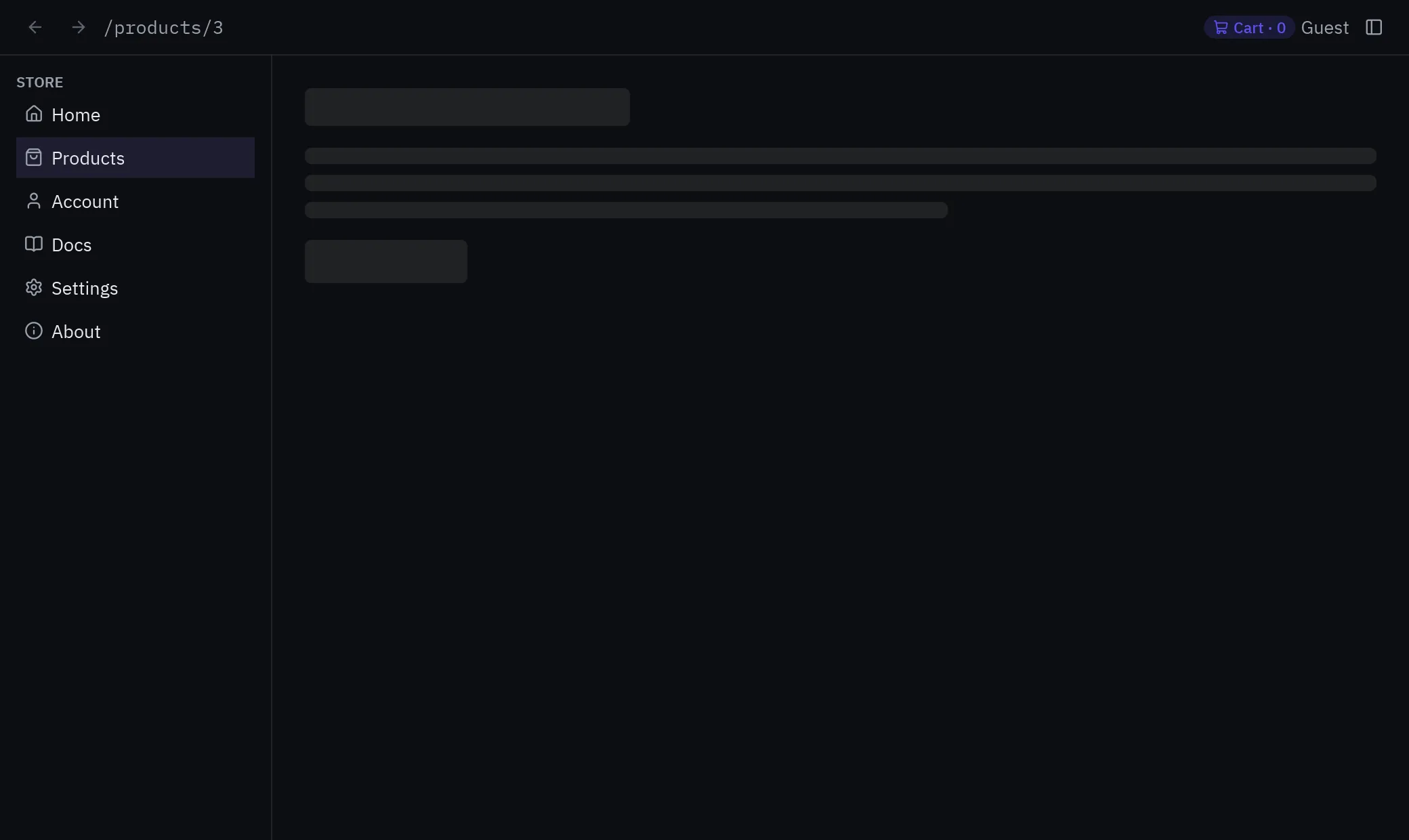
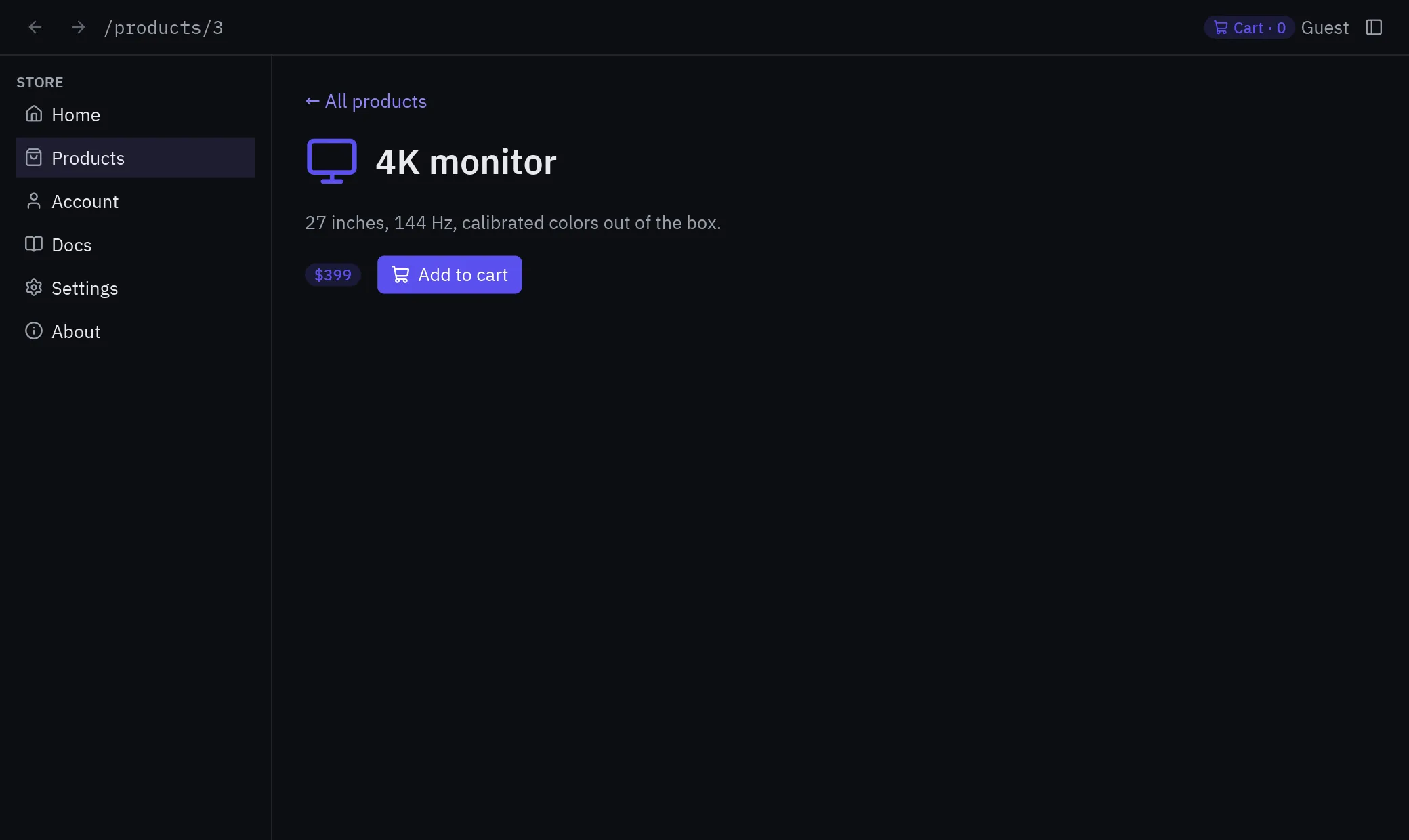
Without a loading.py, the previous page stays on screen until the new one is ready, like
Next.js does.
The cache
Section titled “The cache”A page’s data is kept, so going back and forward shows it at once. It is kept by the page, its
params and its query: /products?sort=price and /products?sort=name are two entries.
| When | What happens |
|---|---|
you come back within stale_time (30 s) |
the kept data shows at once, no request |
| you come back later | load runs again; loading.py shows meanwhile |
router.refresh() |
the current page’s load runs again, the old data stays on screen meanwhile |
router.invalidate("/products") |
that page’s data is marked old: it loads again next time it shows |
a pz.action ends |
the current page refreshes by itself |
stale_time is a router option: pz.Router("app", stale_time=60), or
pz.RouterApp("app", stale_time=60).
A layout can have its own load too: its data is kept while you move between the pages inside
it, and loads again only when its own params change.
Loading before the click
Section titled “Loading before the click”A link starts its page’s load when the mouse is over it, so the page is often ready by the
time it is clicked. pz.link(..., prefetch=False) turns it off, and router.prefetch(href) does
it from code (after a search, say, for the first result).
When it fails
Section titled “When it fails”An exception in load goes to the closest error.py, whose
“Try again” runs load again. pz.not_found() and pz.redirect() work inside load too.
In tests
Section titled “In tests”router.wait() waits for the pending loads, so a test can check the page with its data:
router = pz.Router("app", initial="/products/3")router.view()router.wait()assert router.title == "4K monitor · Shop"