
The agent in Pyzed Design
Pyzed Design, the visual designer, has an AI agent in its right dock. You describe a screen in words and the agent places the controls, wires the events, writes the Python handlers, creates new forms, components or a whole project, looks at the result and checks its own code. Every change it makes to the open form is an ordinary undo step, and Reject puts back everything a run touched.
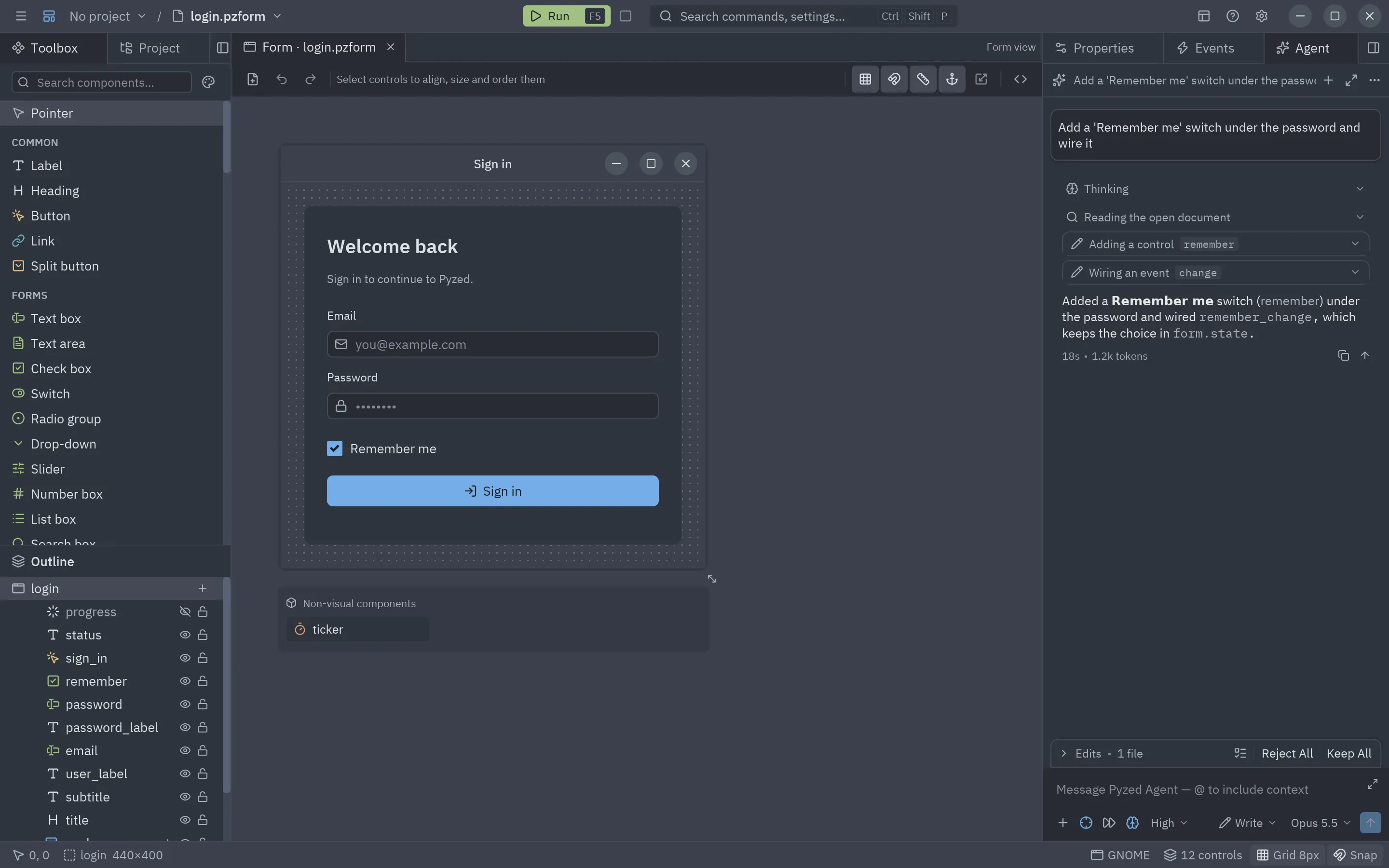
This page is a summary. The complete manual, with every button, command and setting, is Pyzed Design → AI agents.
At a glance
Section titled “At a glance”| Feature | What it does | Details |
|---|---|---|
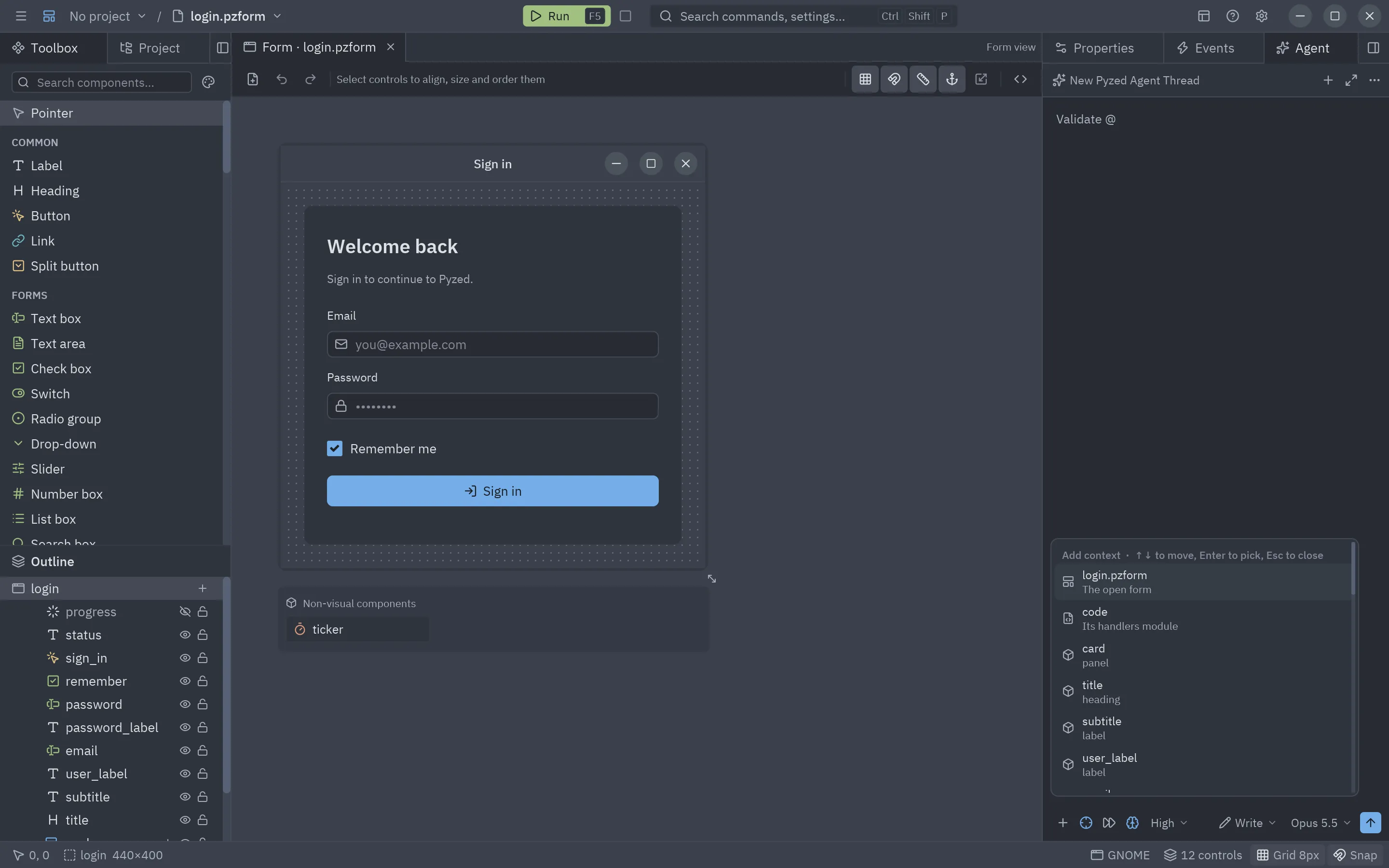
| Composer | A message box: @ attaches the selection, the form, its code, a control or a file; / runs commands such as /app, /fix, /tidy and /look. |
The panel |
| Profiles | Write (the default), Ask (reads only) and Minimal (no tools), plus Ask before writing files. Edits to the open form never ask, since they can be undone. | Profiles |
| Many providers | Anthropic, OpenAI, Gemini, Vertex AI, GitHub Copilot, OpenRouter, xAI, Mistral, DeepSeek, Groq, Ollama, LM Studio and any OpenAI-compatible server, with effort and fast mode on Claude. | Providers |
| Sign in | Sign in with the browser (the copied key is picked up), OpenRouter OAuth, Sign in with GitHub (device flow) and Sign in with Google for Vertex AI. | Signing in |
| Claude without a key | Workload identity federation exchanges your identity provider’s token for a short-lived Claude token. | Claude without an API key |
| Images | Attach or paste pictures, or a screenshot of the form; the agent also looks at the form itself with screenshot_form. |
Images |
| Whole apps | /app creates a project, adds packages, writes forms and components, looks at them and runs the checks. |
Building an application |
| MCP servers | Add the tools of any Model Context Protocol server (local command or URL); their secrets go to the keychain. | MCP servers |
| External agents | Run Claude Code, Gemini CLI, Codex or any Agent Client Protocol agent inside the panel, sharing Pyzed’s MCP server. | External agents |
| Inline assist | Ctrl+Alt+I in the code editor rewrites a handler or the file in place. | Inline assist |
| Credentials | Keys and tokens live in the system keychain, never in settings or the project. | API keys and credentials |
A first session
Section titled “A first session”- Open the panel: the Agent tab in the right dock, or Ctrl+Alt+A.
- Connect a model: click a provider and sign in, or pick a local model. See API keys and credentials for keys, environment variables and good practices.
- Ask for a screen: “A customer form: name, email, a country drop-down and Save / Cancel; Save validates the email
and shows a toast”. Then refine it: select controls and ask, attach a mock-up, or run
/lookand/fix. - Review the run with Keep or Reject, and press F5 to run the form.
Tips for good prompts are in Getting good results and the prompting guide.
The same agent in your own app
Section titled “The same agent in your own app”The panel runs on pyzed.agents, which any Pyzed app can use: the same providers, keychain storage, images, MCP
servers, external agents, tools written as Python functions and streamed events. See
Building AI apps and AI agents in your app.